You can easily cancel an existing car rental booking directly from the ITILITE platform. This guide will walk you through the steps to ensure a smooth cancellation process.
Table of Contents
Step-by-Step Guide
Follow these steps:
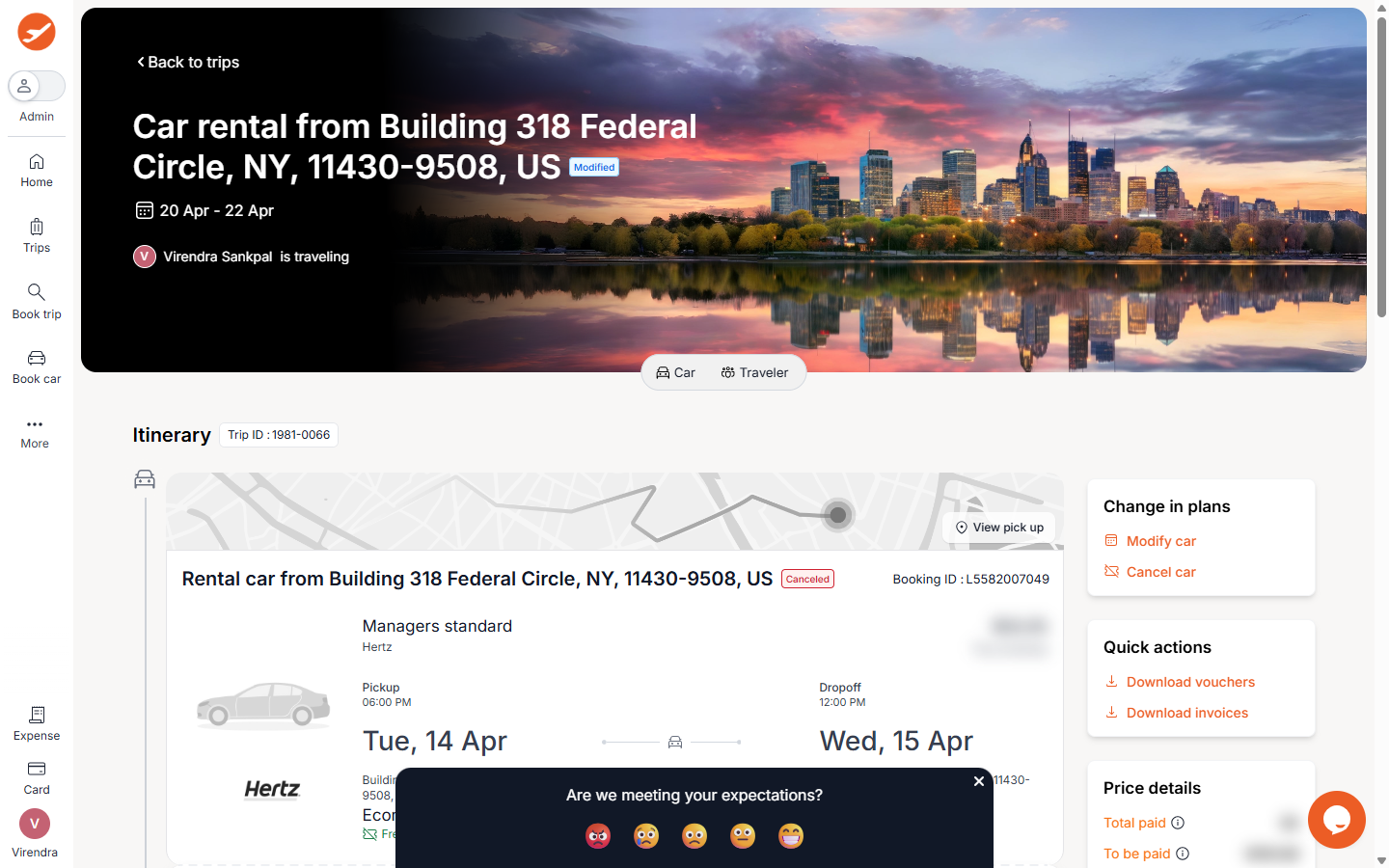
- From your ITILITE Dashboard, locate the specific trip that includes the car rental you wish to cancel. Click on the car rental booking card to open its details.
- On the trip details screen, locate and click the Cancel Booking button displayed below the car rental details card. A popup will appear showing your car rental details. If your trip has only one car rental, it will be selected by default in the popup. If there are multiple car rentals in the trip, you will see checkboxes next to each one; select the specific car rental(s) you wish to cancel.
- Review the details in the confirmation modal and click the Confirm Cancellation button to finalize your request.
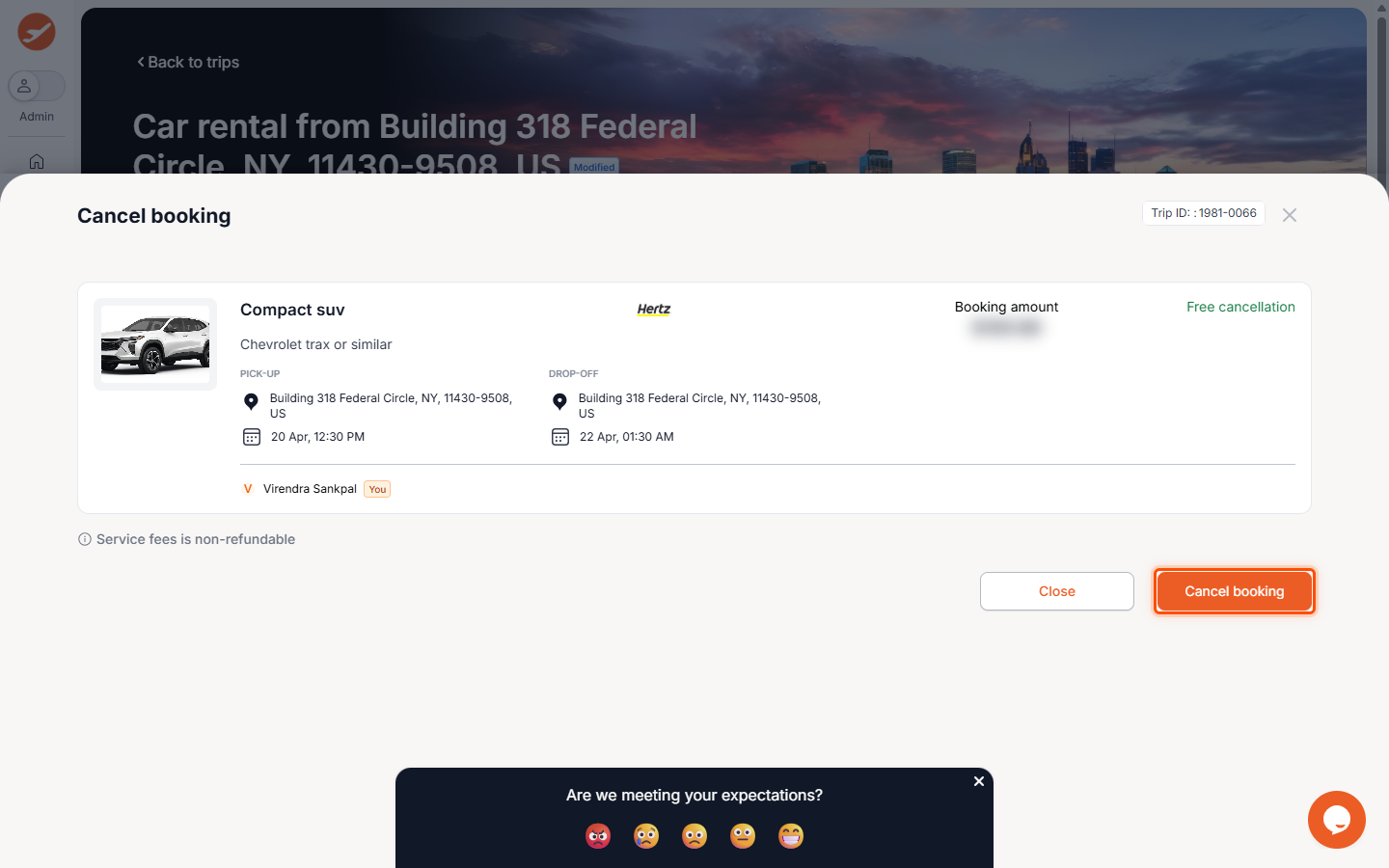
- The cancellation will be processed automatically. You will be navigated back to your dashboard, and the car rental booking status will update to 'Canceled'.
Pro-Tips & Guardrails
NOTE: The Cancel Booking button is only available for confirmed car rental bookings and must be initiated before the scheduled pickup time. Bookings that are in a 'Pending' state or already in progress (car picked up) cannot be cancelled online.
PRO-TIP: Since payment for car rentals is typically collected by the rental agency at pickup, cancellations processed through ITILITE before the scheduled pickup time are generally free of charge from ITILITE. Always keep your reservation confirmation number handy for any modification or cancellation requests.
Verification & FAQs
After confirming your cancellation, you will receive a confirmation email with the cancellation details. You can also verify the cancellation by checking the updated status of your car rental booking on your ITILITE Dashboard.
A: Online cancellation is only possible for confirmed bookings and must be done before the scheduled pickup time. Bookings that are pending approval or already in progress cannot be cancelled online.
Q: Are there any charges for cancelling a car booking?
A: ITILITE does not collect payment at the time of booking for car rentals. Therefore, cancellations processed through ITILITE before the scheduled pickup time are free of charge from ITILITE.
Q: What happens if I have multiple car rentals in one trip?
A: If your trip includes multiple car rentals, the cancellation popup will allow you to select which specific car rental(s) you wish to cancel. The remaining car rentals will stay active.
Q: What if the online cancellation process fails?
A: If the automated cancellation fails for any reason, the request is automatically routed to the ITILITE support team for manual processing. You do not need to take any additional action, and the support team will contact you.
Q: How can I modify a car rental booking instead of cancelling?
A: ITILITE also allows you to modify car rental booking details directly from the platform.
Was this article helpful?
That’s Great!
Thank you for your feedback
Sorry! We couldn't be helpful
Thank you for your feedback
Feedback sent
We appreciate your effort and will try to fix the article