
This guide walks you through the process of booking a hotel stay using the ITILITE platform, from searching for a destination to confirming your reservation.
Table of Contents
Step-by-Step Guide
Follow these steps:
- From your ITILITE Dashboard, click on the search bar.
- Click on Hotels. In the hotel search field, enter your desired destination. Enter your check-in and check-out dates.
- Click the Search button to view available hotels.
- Locate your preferred hotel and click View rooms. Then, select your desired room type.
- On the itinerary review page, click Continue. Enter your email address for booking notifications.
- Click Continue to proceed.
- Click Proceed to book to complete your hotel reservation.
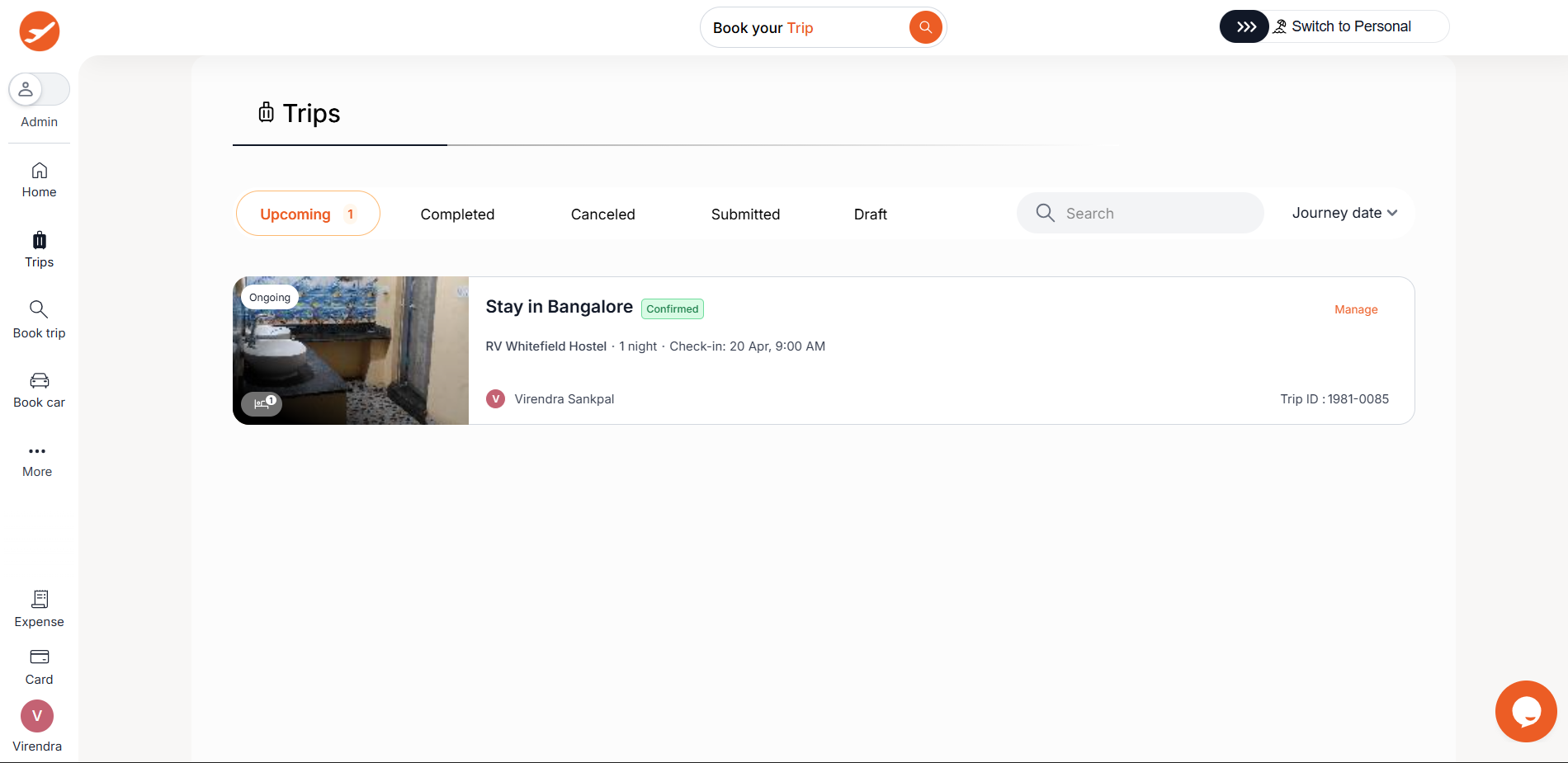
- Your hotel booking is now complete, and you will be directed to a confirmation page.
Pro-Tips & Guardrails
PRO-TIP: When searching for hotels, you can use various filters like amenities, free cancellations, etc. narrow down your results. The system will show you how many results remain as you apply filters.
NOTE: If your company requires trip approvals, you will select "Send for Approval" on the confirmation page. An approval request will be sent to your approver via email or their ITILITE dashboard.
PRO-TIP: If a hotel or room becomes unavailable, or if the price changes during your booking process, ITILITE will inform you immediately and guide you to re-select an available option.
Verification & FAQs
After completing your booking, you will receive a confirmation message and be redirected to a booking confirmation page within ITILITE.
A: Yes, if your company has enabled the "Book for Others" feature and you have the necessary permissions, you can book a hotel for another employee.
Q: What happens if the hotel or room I selected becomes unavailable or the price changes during booking?
A: The system will immediately notify you of any changes in availability or price and provide options to select a different room or hotel.
Q: What are the guest limits for a hotel booking?
A: A minimum of 1 adult guest and 1 room is required. The total number of guests (children + adults) cannot exceed 25. For bookings with more than 9 guests, the request will be served offline.
Q: Can I add my hotel booking dates to my calendar?
A: Yes, if your calendar is connected to ITILITE, the check-in and check-out dates for your hotel booking can be added as an event block with hotel details.
Was this article helpful?
That’s Great!
Thank you for your feedback
Sorry! We couldn't be helpful
Thank you for your feedback
Feedback sent
We appreciate your effort and will try to fix the article