
Receiving expense reimbursements quickly and securely is essential, and ITILITE leverages ACH (Automated Clearing House) to deposit funds directly into your bank account. This guide will walk you through the necessary steps to ensure your company bank account is ready for seamless ACH payments.
Table of Contents
- Company-Level ACH Setup & Business Verification
- Linking Your Personal Bank Account
- Pro-Tips & Guardrails
- Verification & FAQs
Company-Level ACH Setup & Business Verification
Before employees can receive ACH reimbursements, the company's administrator must complete a one-time setup and business verification. Here's how:
- As an administrator, log in to your ITILITE account and navigate to the Expense section from the main dashboard.
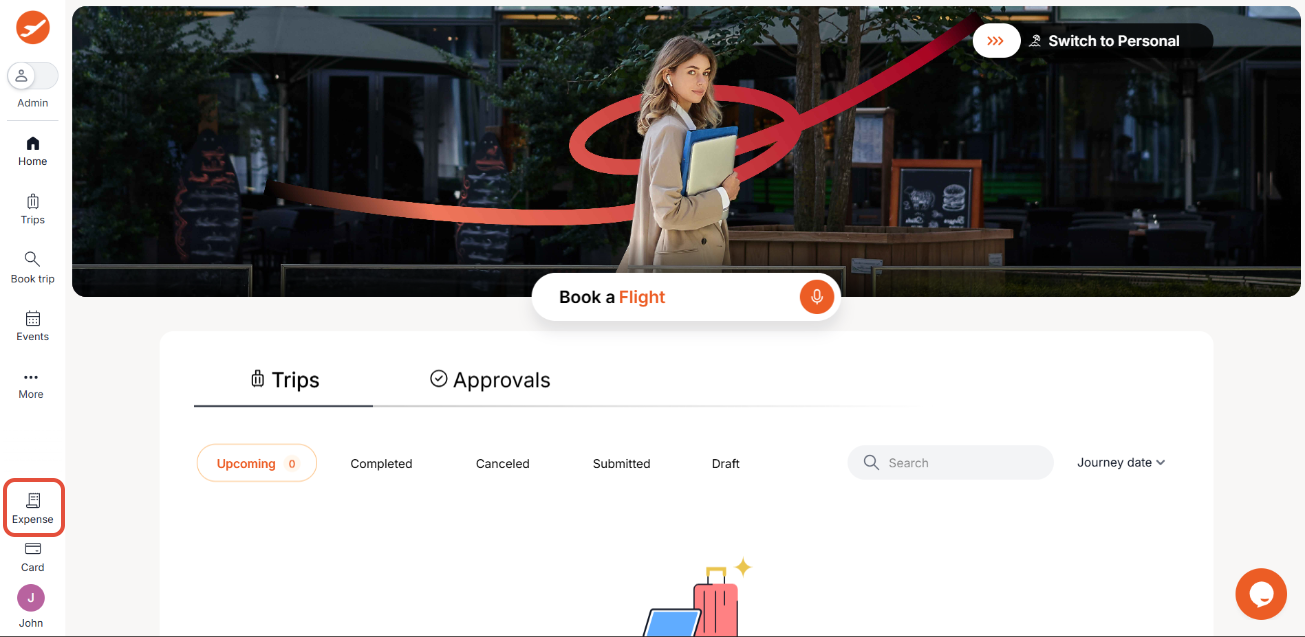
- Within the Organization section, select Settings to manage your company's configurations. From there, click on the ACH tab to access the payment settings.
- To begin the business verification process, click the Get started button under the 'Verify your business' section. This crucial step ensures compliance and security for all ACH transactions.
- You will be prompted to select your business type. Choose the option that best describes your company's legal structure.
- Enter your company's full registered business name exactly as it appears on official documents. This ensures accurate verification.
- Enter your company's Employer Identification Number (EIN), followed by your primary business address. Accuracy here is vital for successful verification.
- Continue by entering the business postal code and the city for your business address.
- Select the correct state for your business address from the dropdown menu. Once all address details are entered, click Next to proceed to the Beneficial Owner details.
- Provide the controller's date of birth using the calendar tool and enter their designation within the company.
- Enter the last 4 digits of the controller's Social Security Number (SSN). After reviewing all details, check the declaration box to certify their accuracy.
- Finally, click Submit to complete the business verification process. ITILITE will securely pass this information to a third-party verification provider, and the process typically takes 3–5 business days.
- Next, enter the beneficial owner details. Select the ownership percentage of the owner.
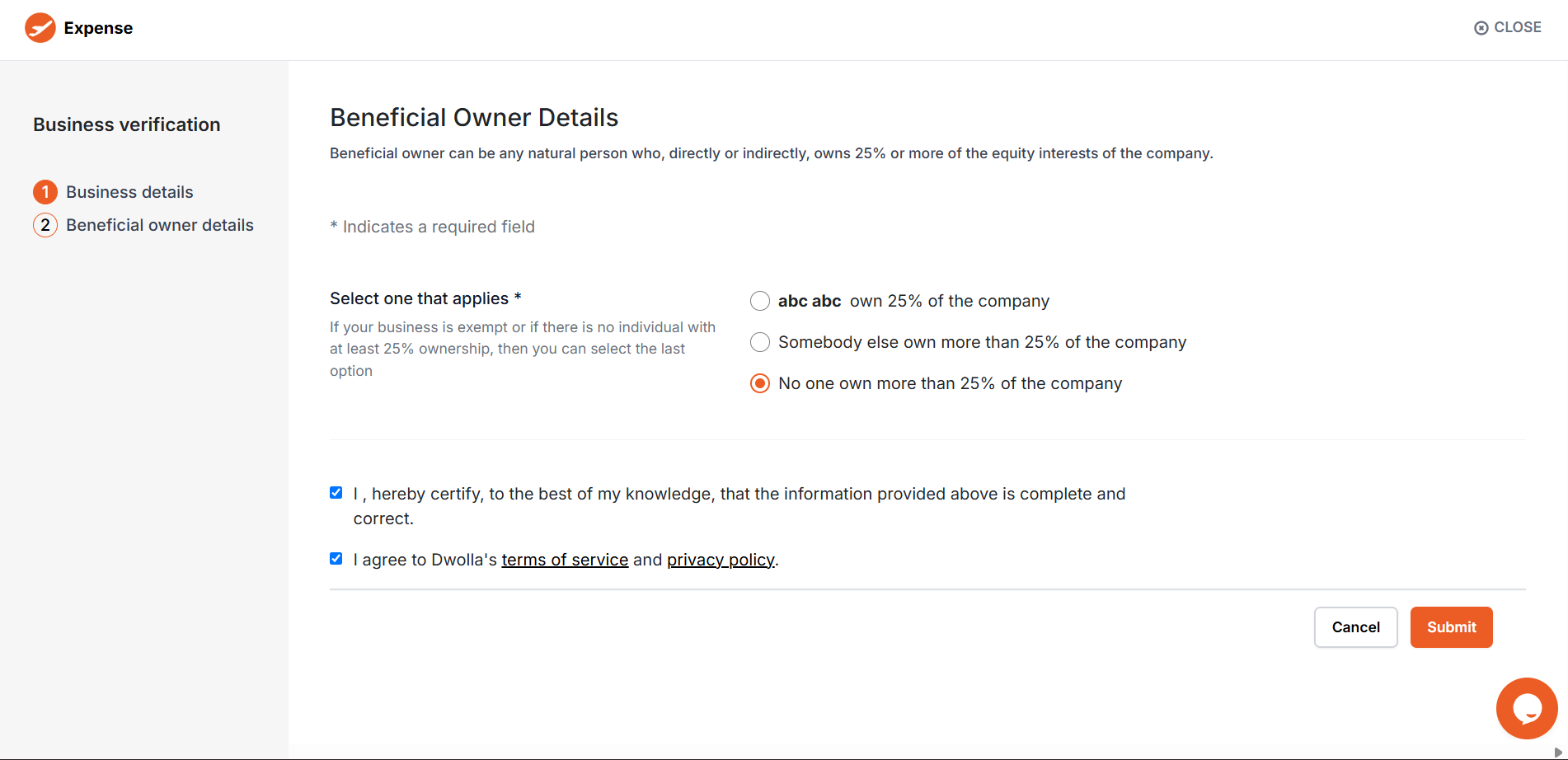
- If you choose that the owner owns >25% of the company, you will need to fill the personal information of the beneficial owner. Fill up the information accurately and click on Submit.
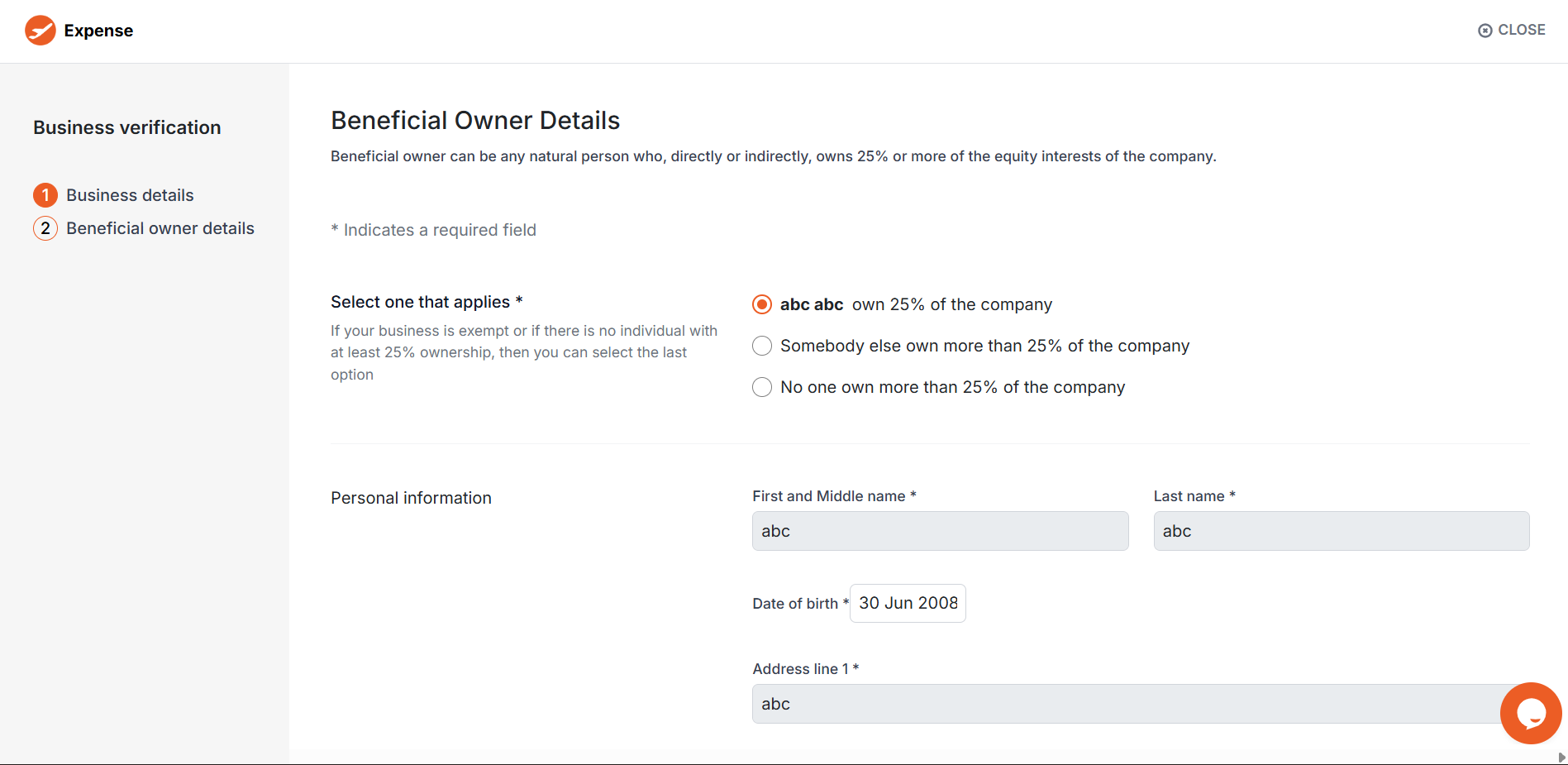
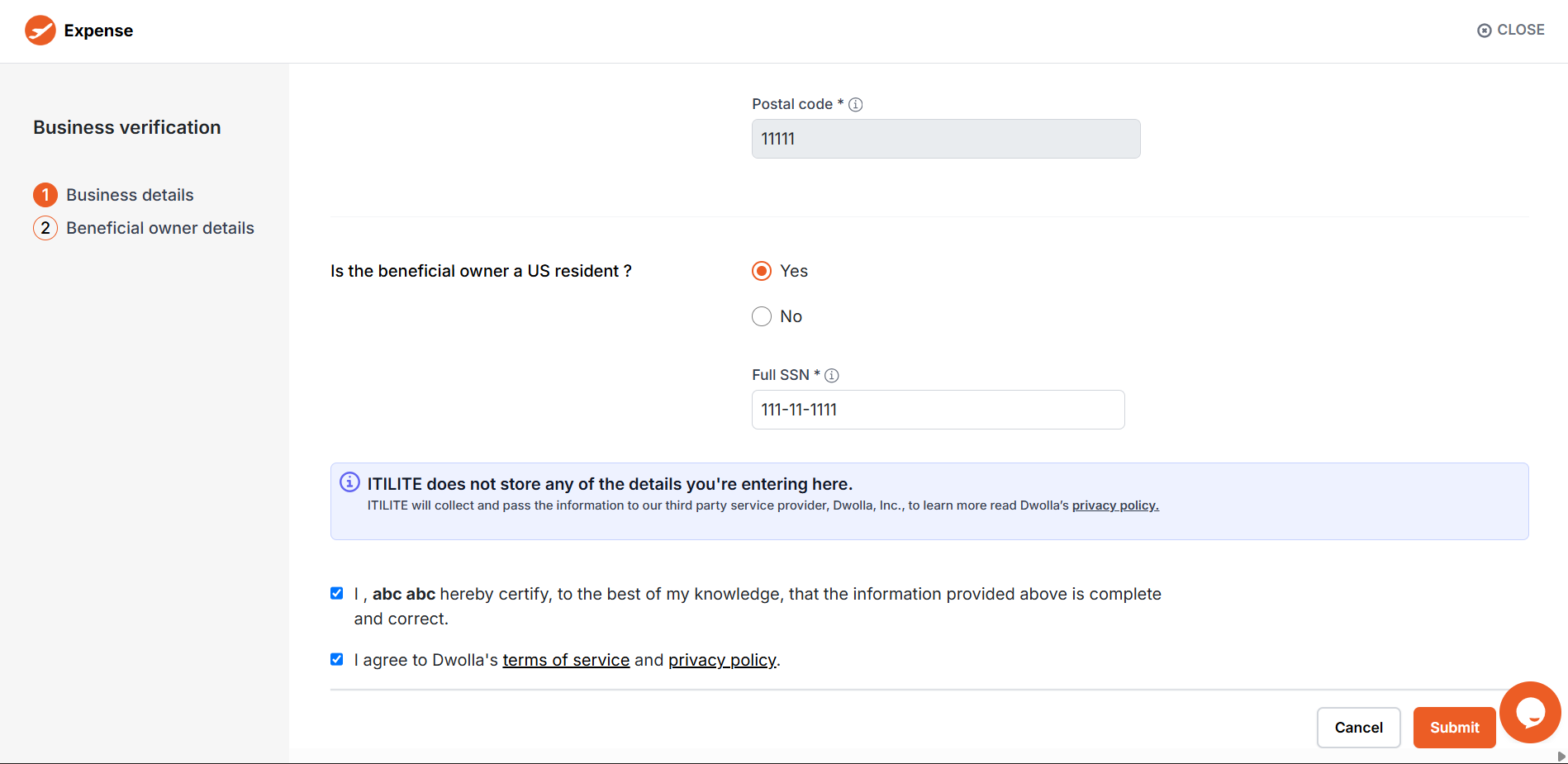
- Once all details are submitted, you will be prompted to upload additional documentation to complete the business verification process.
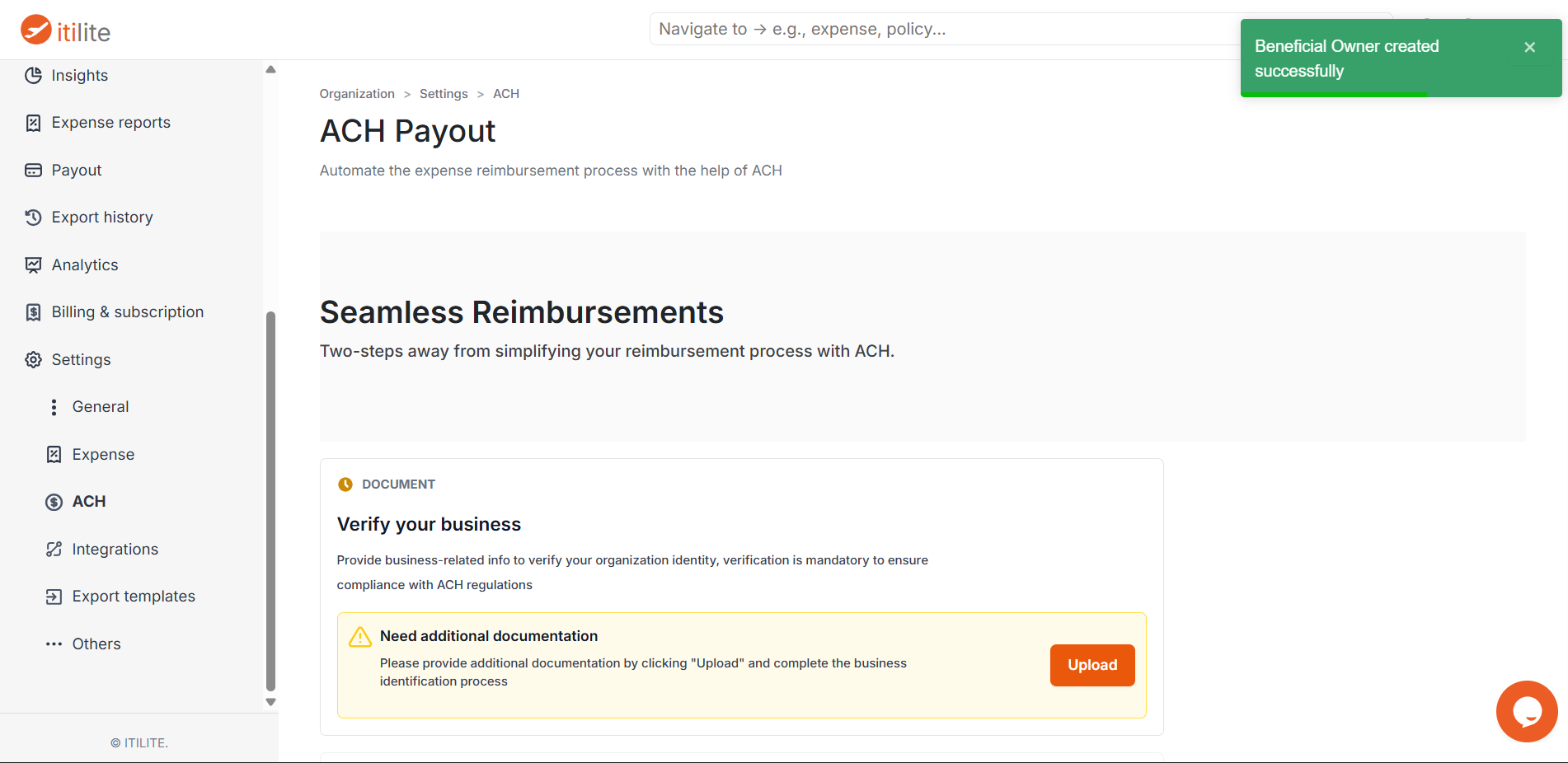
- Upload the valid EIN letter in the business document as jpg, jpeg, or png format.
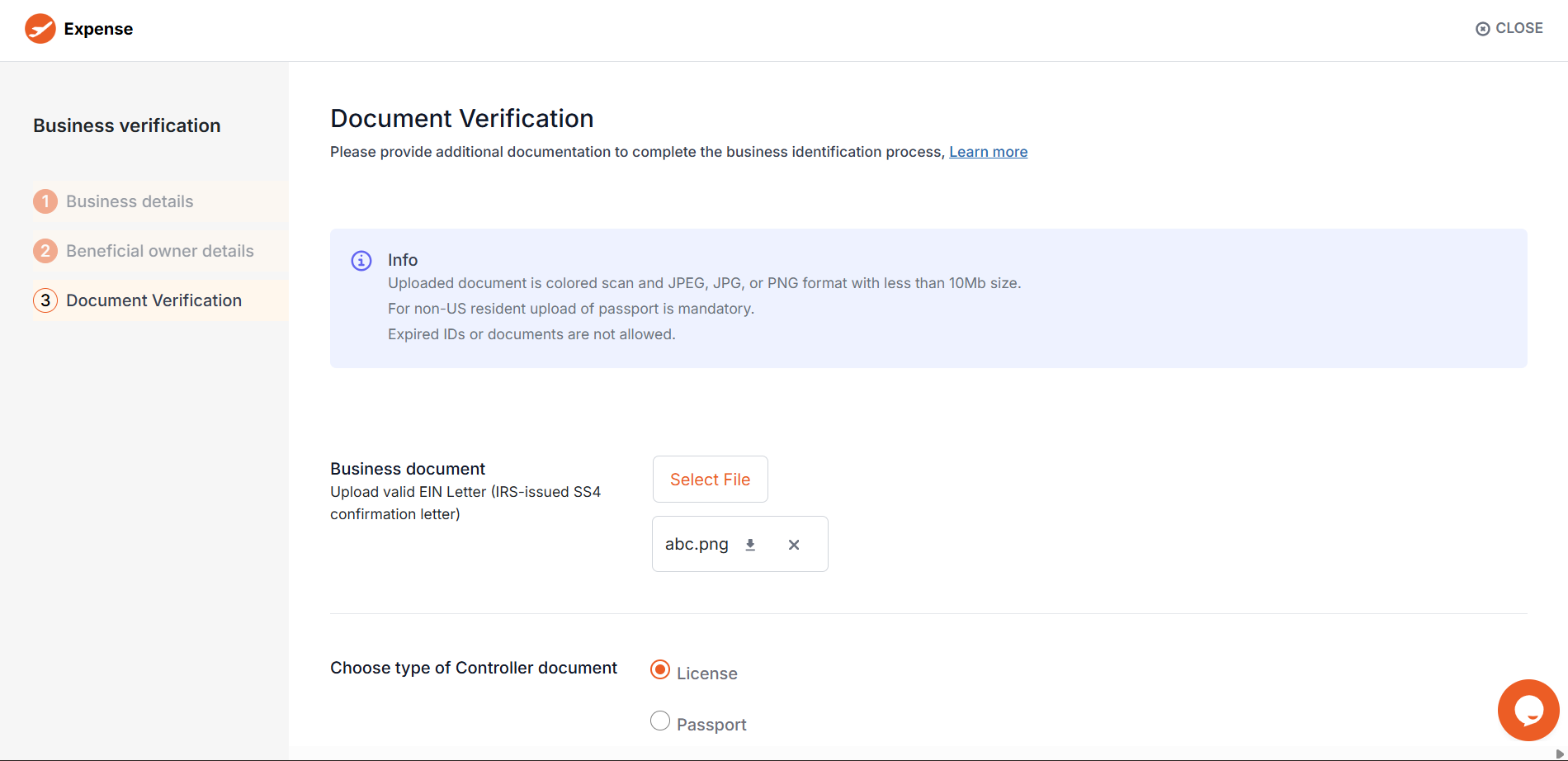
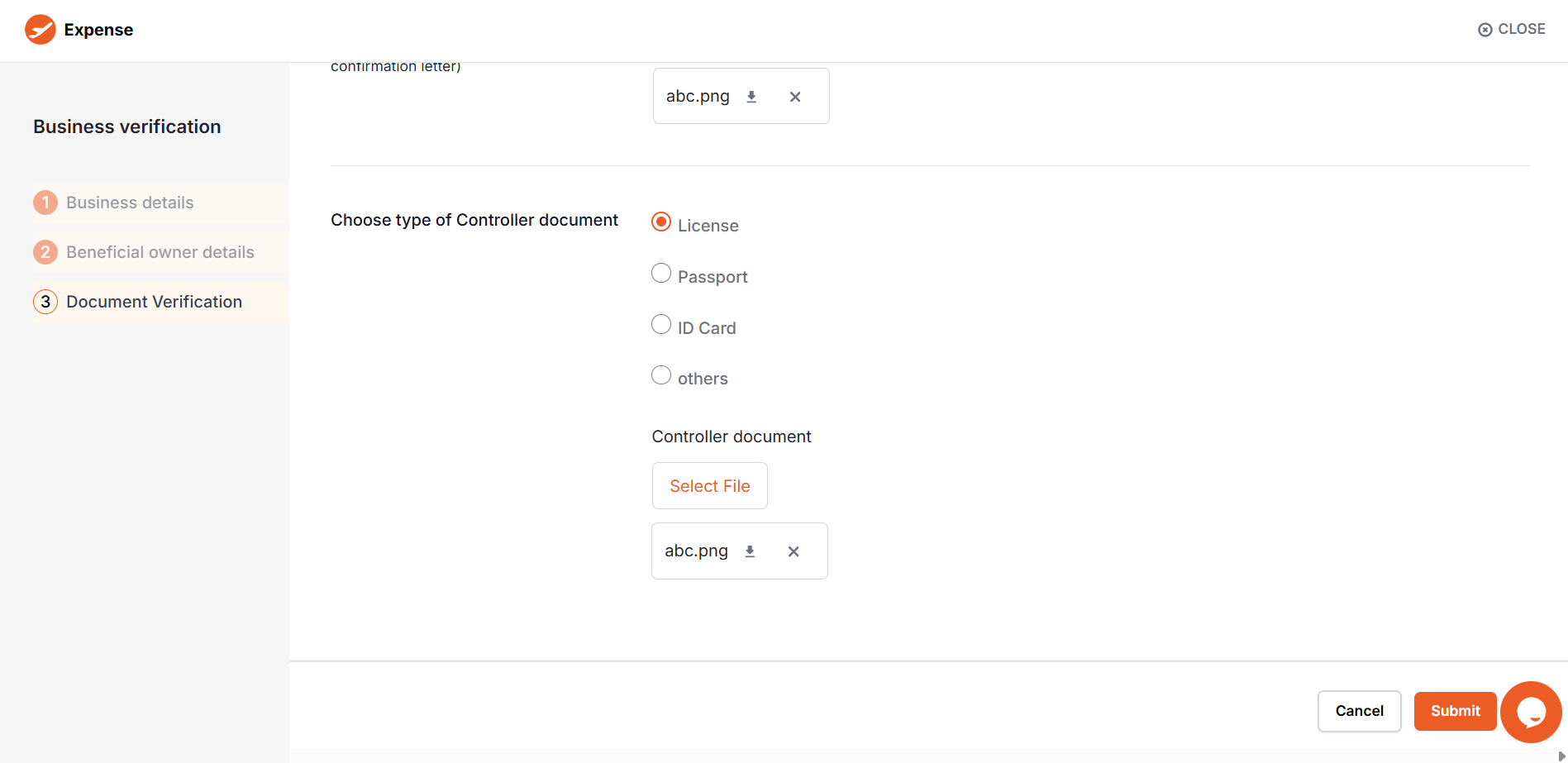
- Choose the type of controller document. For non-US residents, passport is the mandatory business document to be uploaded here. Make sure the documents uploaded are not expired.
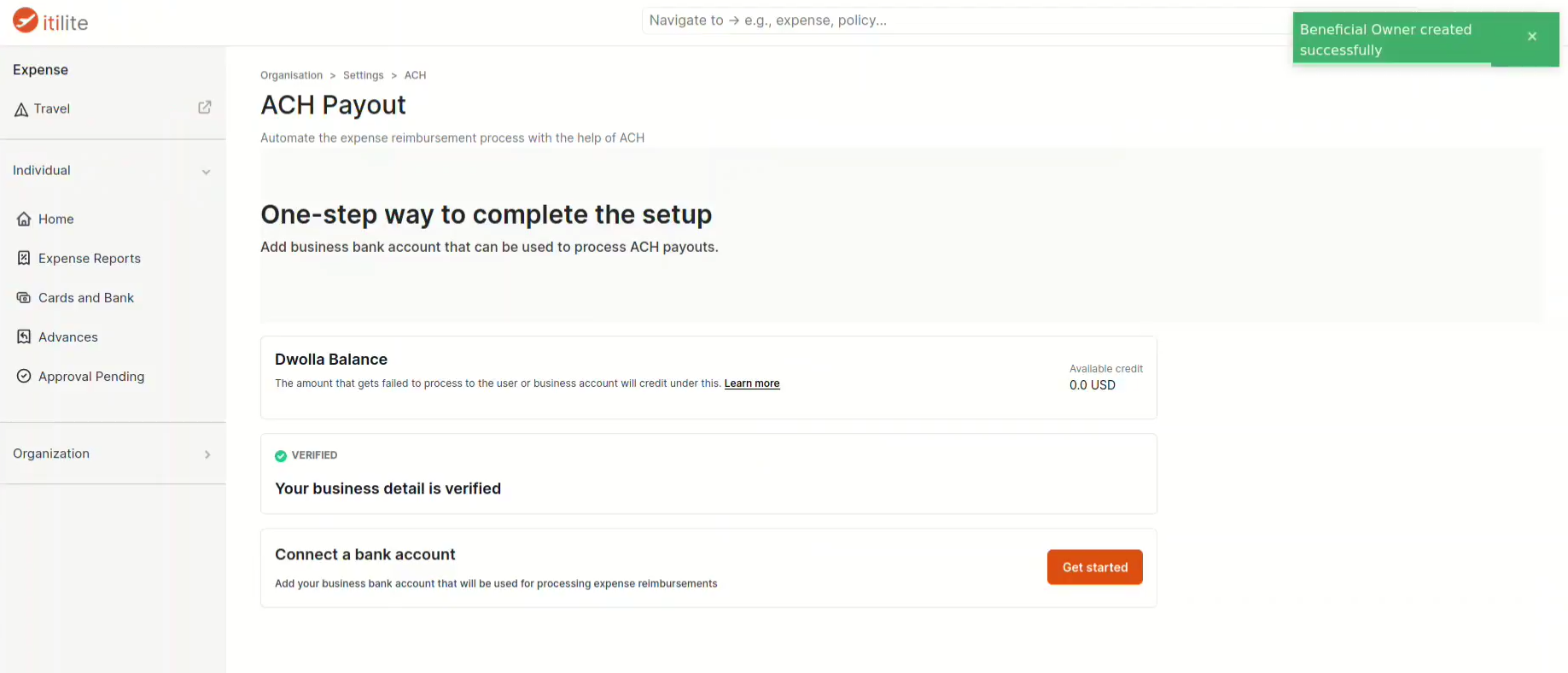
- The company must also add and verify its business bank account.
Once the business is successfully verified, admins can add and verify their company account. After the business account is verified, the employees can add and verify their personal accounts.
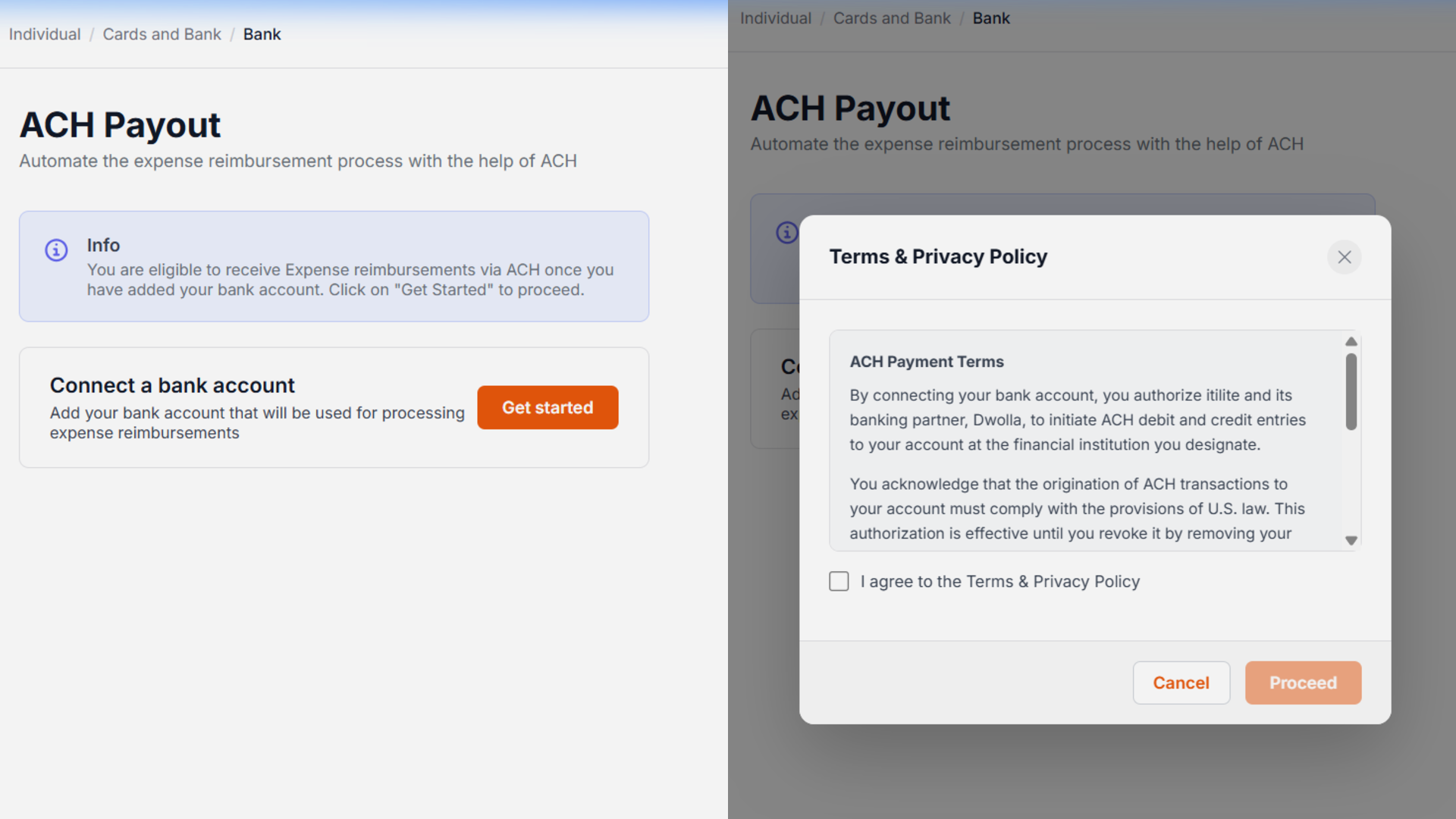
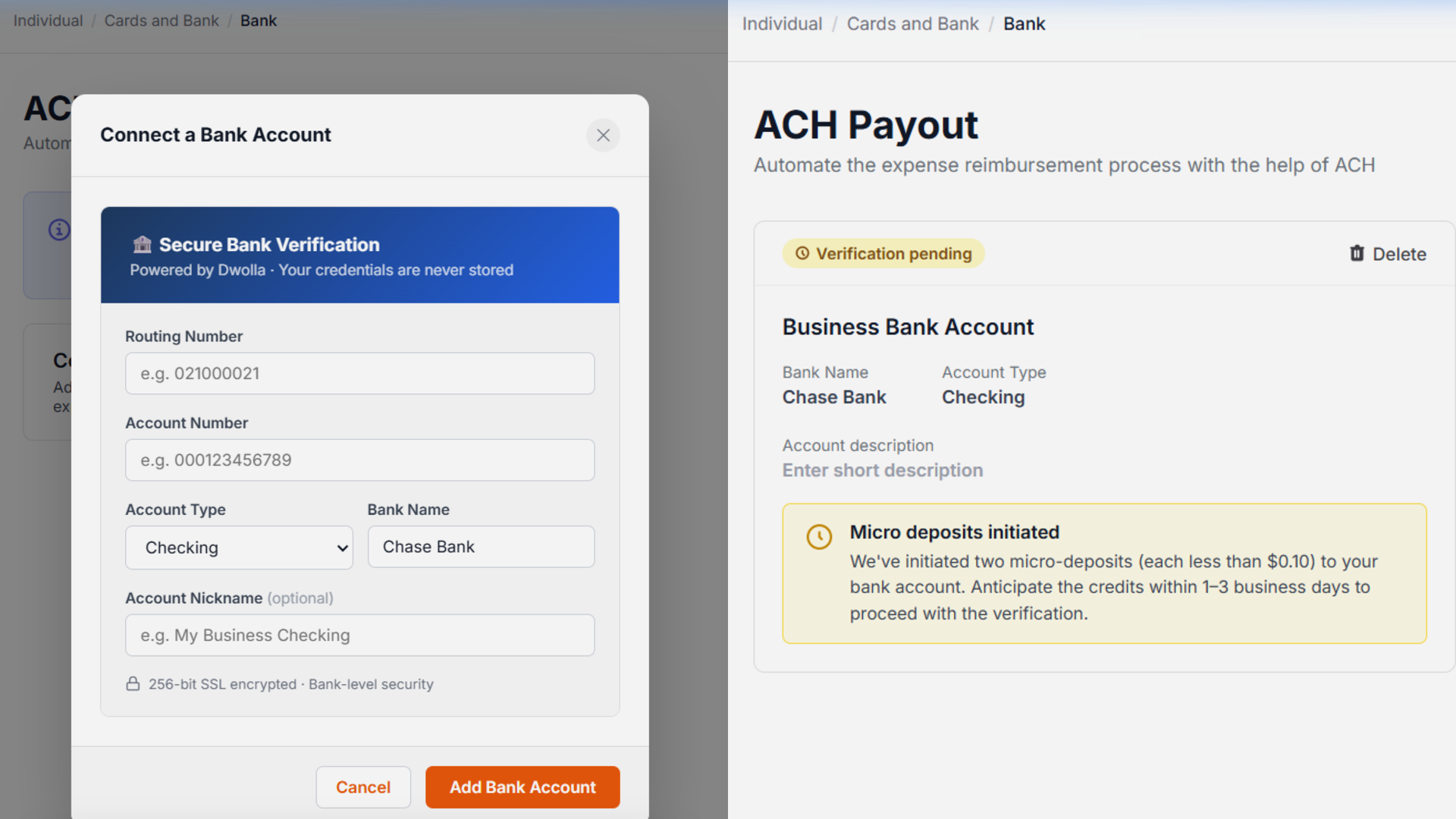
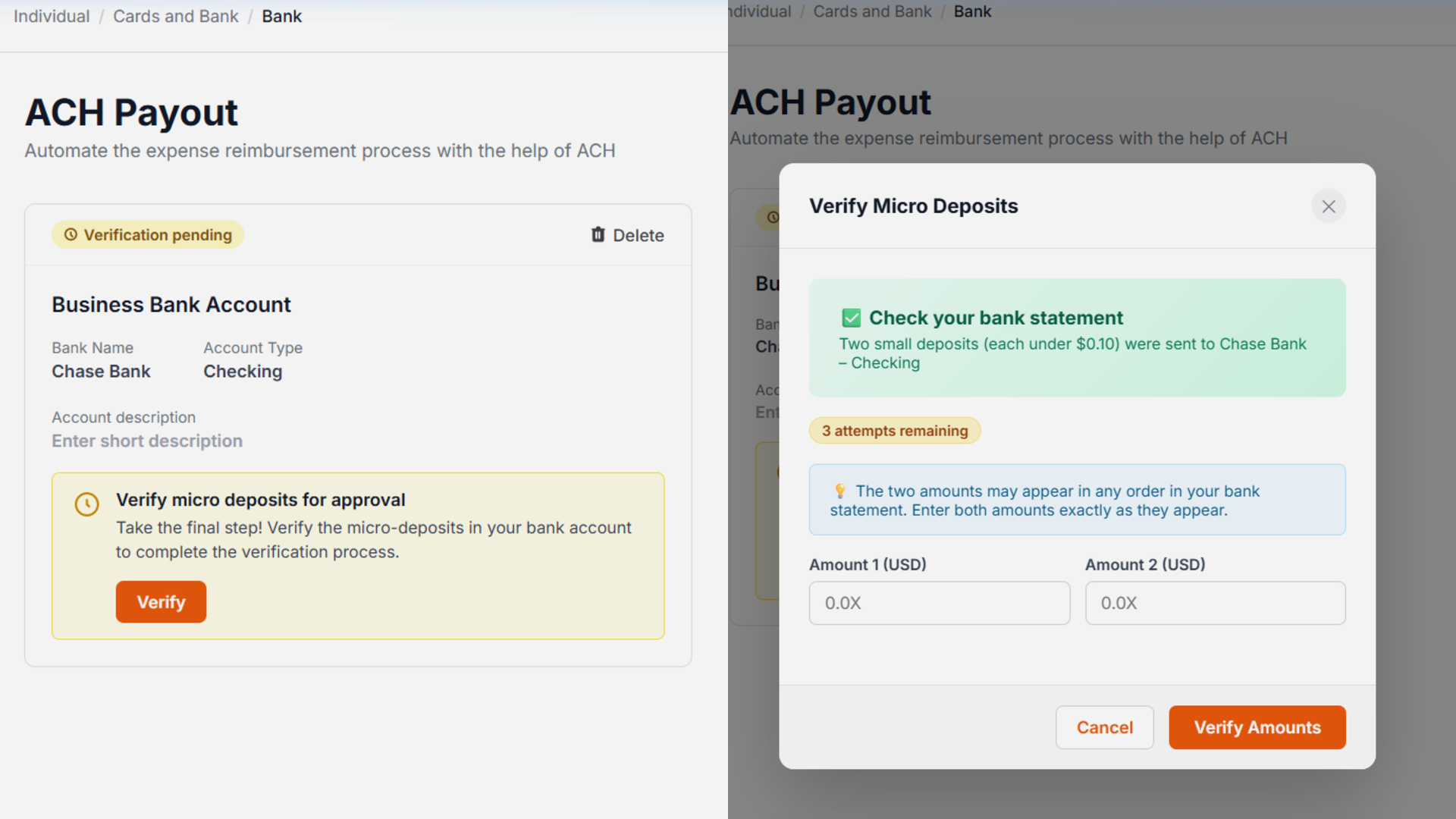
- When the user adds a bank account, two microdeposits (each less than $0.10) will be credited to the added bank account. The user must enter the exact deposit amounts to verify the bank account.
Pro-Tips & Guardrails
Verification & FAQs
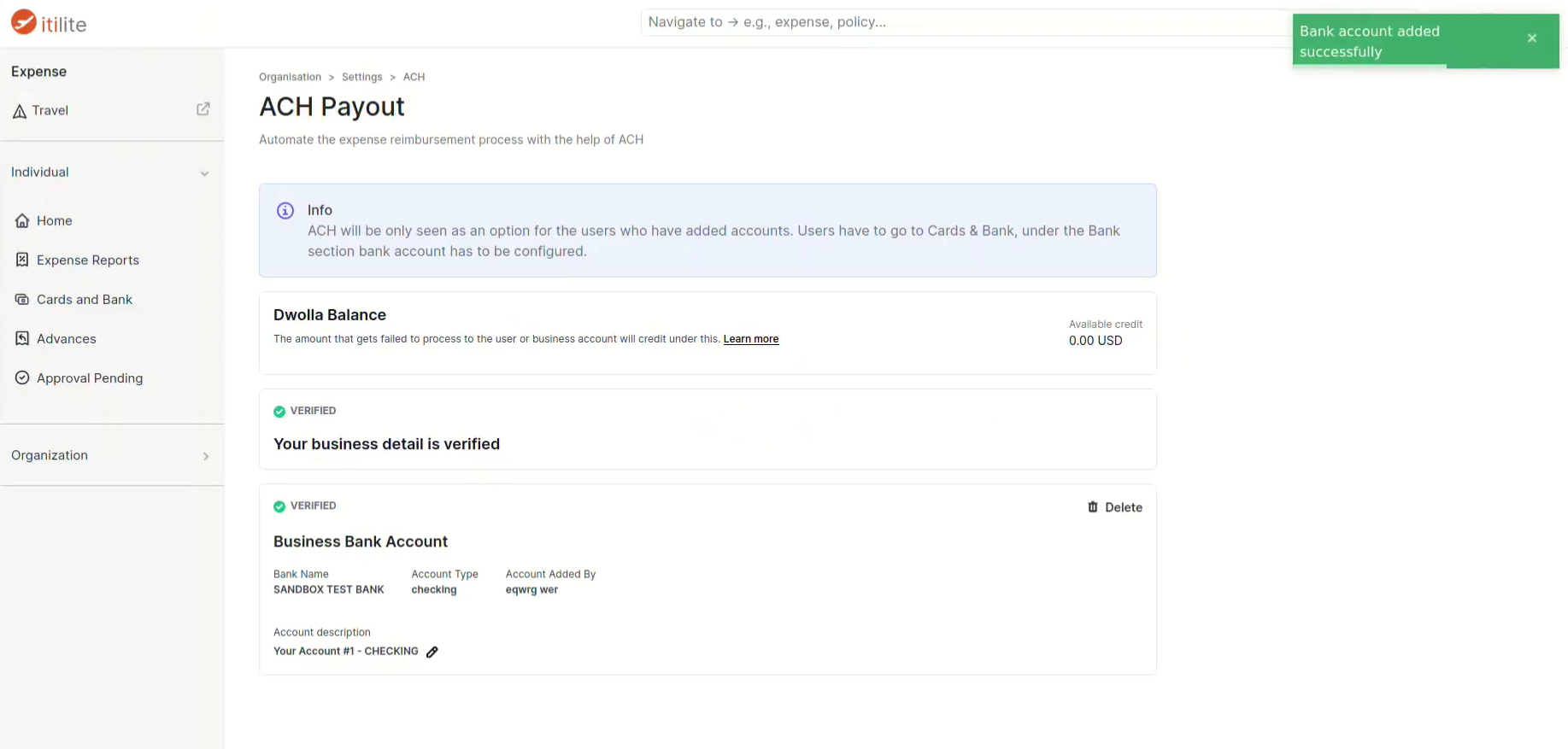
Once your company's business verification is complete, you'll receive a confirmation, and administrators can proceed to add the company's funding bank account. For employees, a successfully verified personal bank account will show a 'Verified' status in the 'Banks' section, indicating it's ready to receive ACH reimbursements.
A: ACH (Automated Clearing House) is a secure US financial network that facilitates electronic bank-to-bank transfers. ITILITE uses ACH to process employee expense reimbursements, ensuring funds are deposited directly into your linked bank account efficiently and safely.
Q: How long does company business verification take?
A: The company business verification process, which is handled by a third-party provider, typically takes 3–5 business days to complete. During this time, the status of your verification will be updated in the ITILITE platform.
Q: What if instant verification fails when linking my personal bank account?
A: If instant verification fails after two attempts, ITILITE automatically switches to micro-deposit verification. You will receive two small deposits (each less than $0.10) in your bank account within 1–3 business days, which you'll then enter into ITILITE to verify your account.
Q: What do the different ACH payment statuses mean?
A: ACH payments can have several statuses: Pending means the transfer is initiated but not yet complete (can take up to 4 business days). Processed indicates the transfer was successful. Cancelled means the transfer was stopped. Failed implies the transfer did not complete, often due to reasons like insufficient funds or an invalid account.
Was this article helpful?
That’s Great!
Thank you for your feedback
Sorry! We couldn't be helpful
Thank you for your feedback
Feedback sent
We appreciate your effort and will try to fix the article