
Verifying microdeposits is a crucial step to confirm ownership of personal bank accounts, ensuring secure and accurate ACH expense reimbursements for your employees. ITILITE makes this process straightforward, allowing your team to quickly get set up for seamless payouts.
Table of Contents
Prerequisites
Before employees can add and verify their personal bank accounts for ACH reimbursements, your company must have completed a few essential setup steps:
- Your company must have ACH payments enabled within ITILITE.
- Your company must complete the business verification process. Read more.
- Your company's own business bank account, which serves as the funding source for payouts, must be added and successfully verified.
Step-by-Step Guide
Once the necessary company-level prerequisites are met, employees can easily verify their personal bank accounts using microdeposits. Here’s how:
- After logging into ITILITE, navigate to the Individual section from the main dashboard. This area is where employees manage their personal settings, including bank accounts for reimbursements.
Within the Individual section, select Cards & Banks, then click on the Banks tab. Here, you will see the personal bank account that have been added, or you may connect a new bank account.
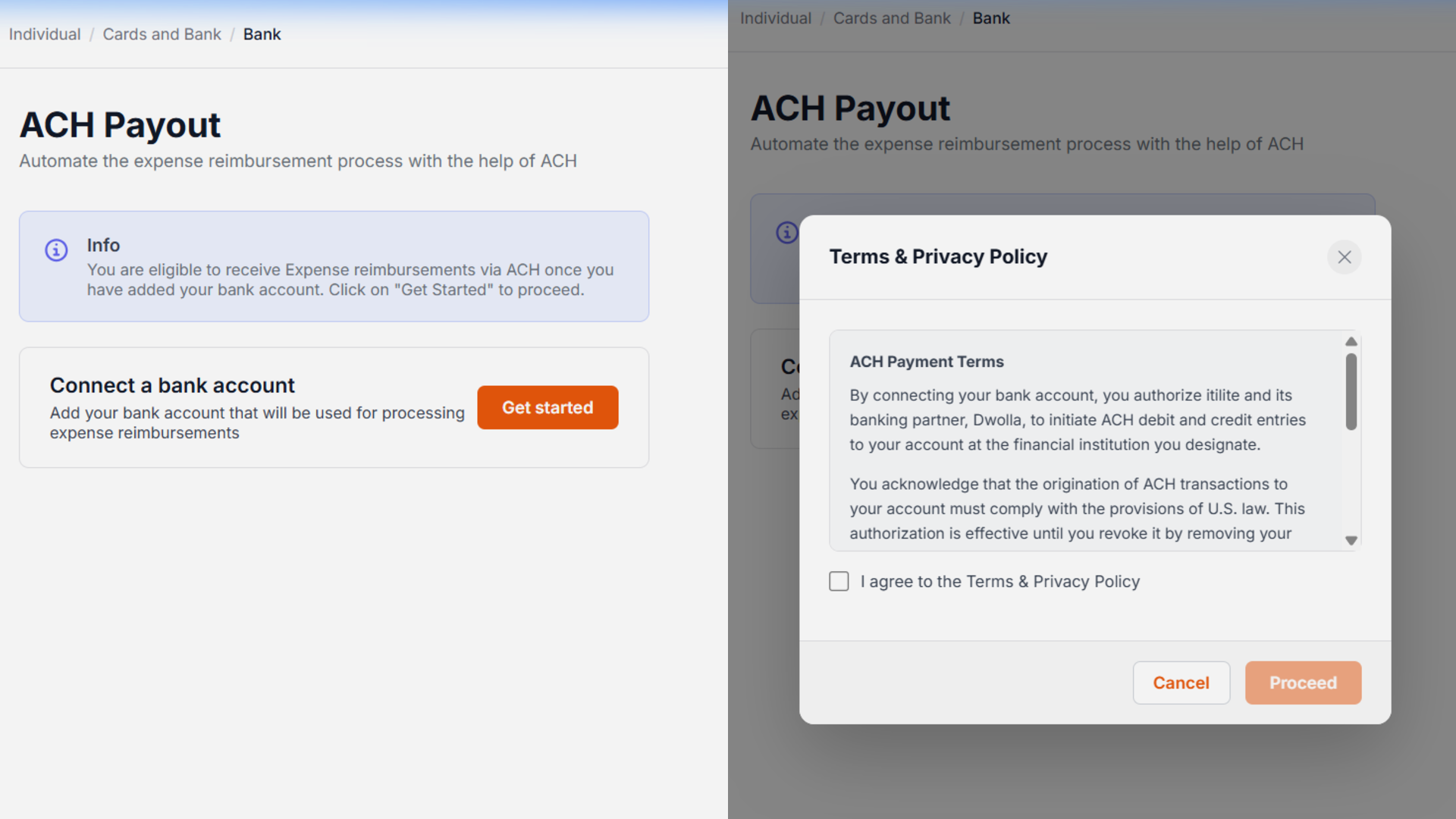
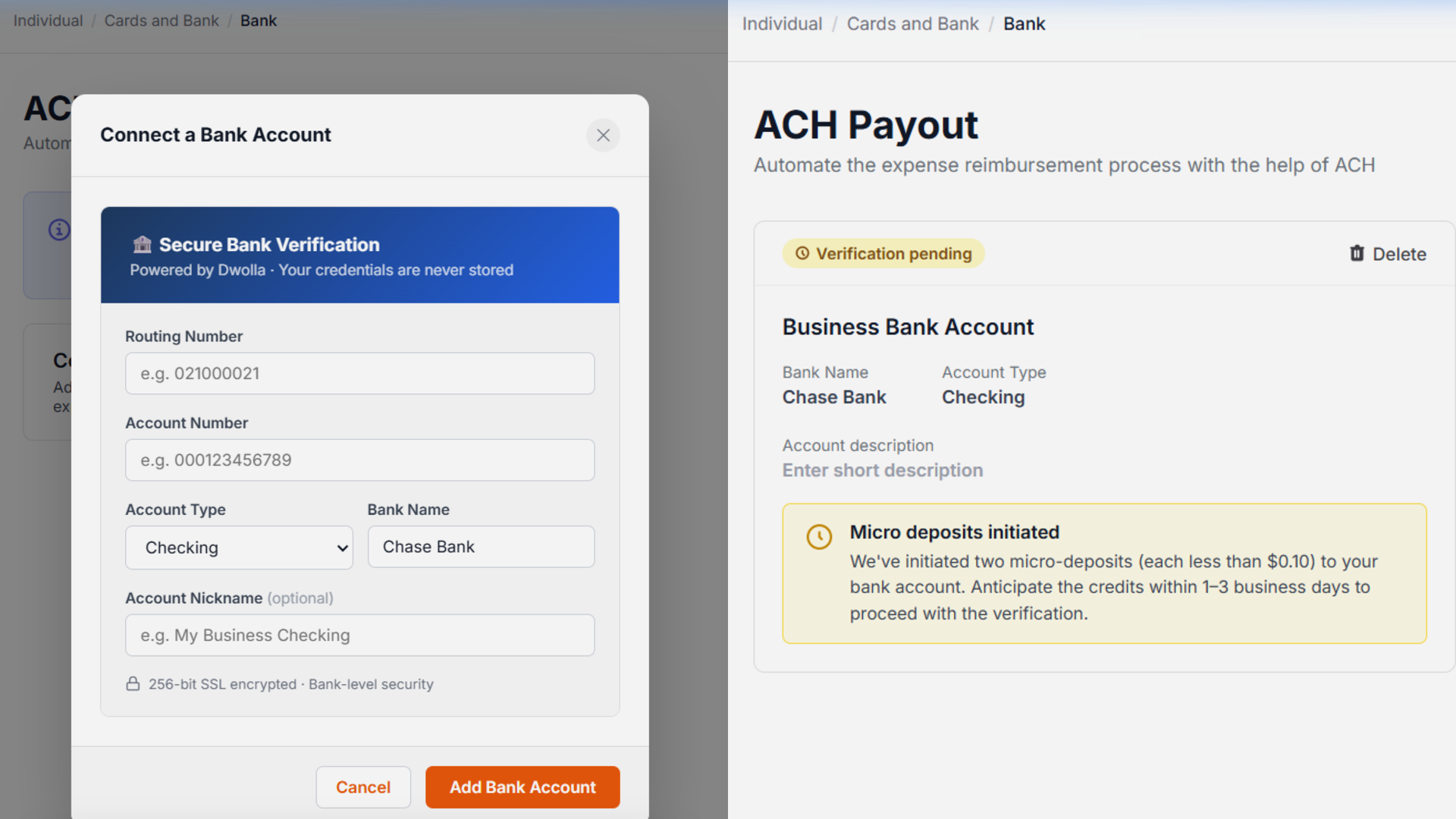
- Locate the bank account that is awaiting verification. You will see a Verify button next to it. Click this button to initiate the microdeposit verification process.
- After adding a personal bank account, Dwolla sends two small deposits, each less than $0.10, to that account. These deposits typically arrive within 1–3 business days. Check your bank statement or online transaction history for the exact amounts.
The user must enter the exact deposit amounts to verify the bank account.
Precision is key here, as even slight discrepancies will prevent successful verification.
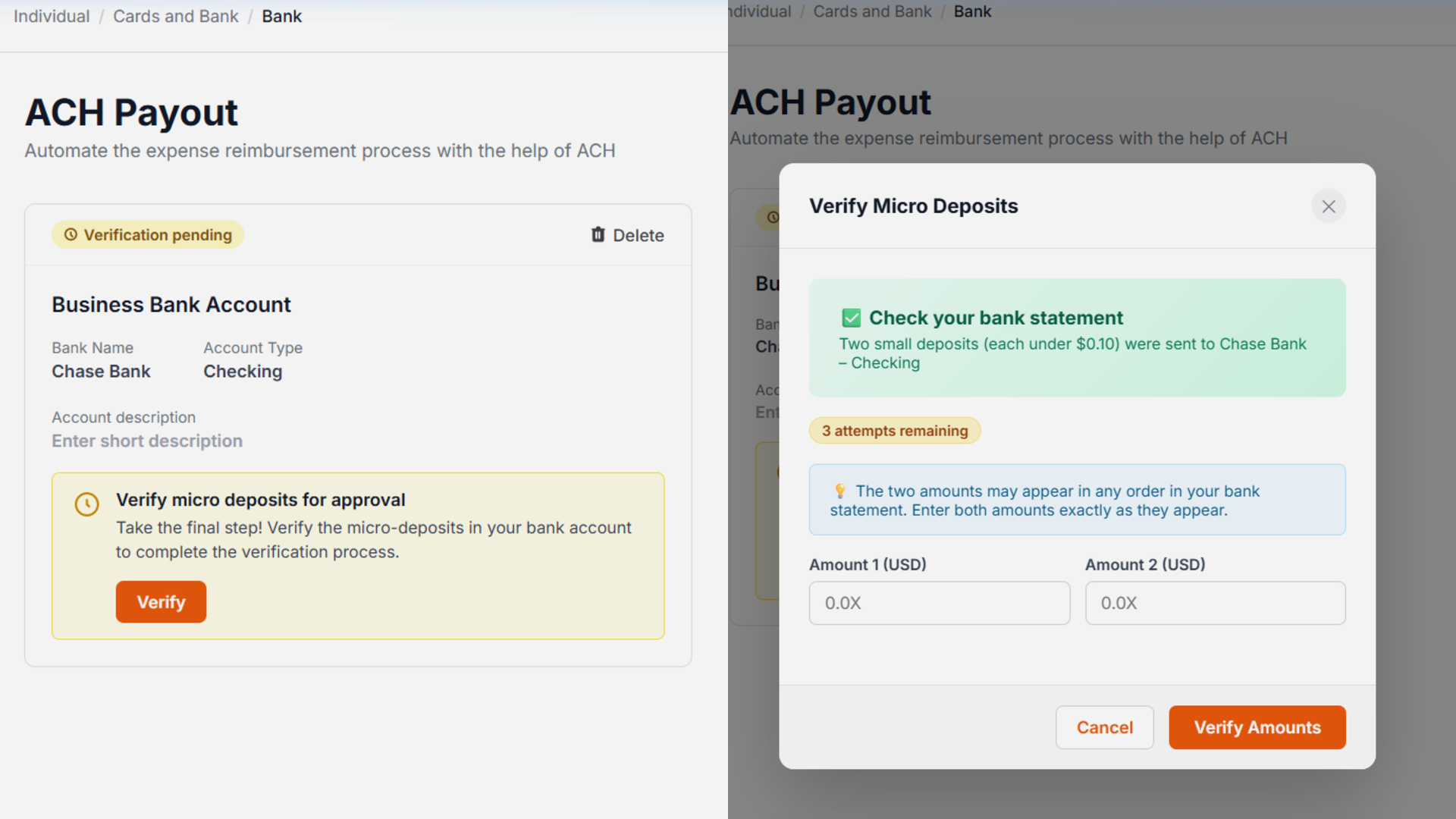
- Once you've entered both amounts, click the Submit or Verify button within the modal. If both values are correct, your bank account will be successfully verified and ready for ACH reimbursements.
Pro-Tips & Guardrails
Verification & FAQs
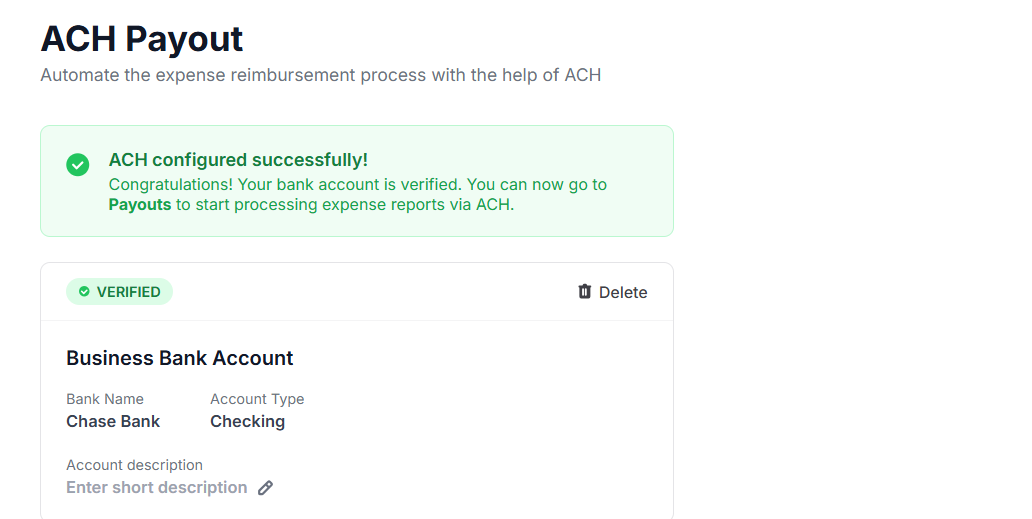
Upon successful submission of the correct microdeposit amounts, you will typically see a confirmation message, and the status of your bank account will update to "VERIFIED". This indicates that your account is now fully set up to receive ACH reimbursements.
A: Microdeposits are two small, random amounts (less than $0.10 each) sent to your bank account to confirm you are the legitimate owner. This process helps prevent fraud and ensures that reimbursements are sent to the correct account, especially if instant bank verification methods are unsuccessful.
Q: How long do microdeposits take to arrive in my bank account?
A: Typically, these microdeposits will appear in your bank account's transaction history within 1 to 3 business days after you initially add your bank account in ITILITE. It's a good idea to check your bank's online portal or statement during this period.
Q: What happens if I enter the wrong microdeposit amounts?
A: If the amounts you enter do not exactly match the deposits, the verification will fail. You usually have 3 attempts to re-enter the correct values. If you exhaust these attempts, you might need to delete and re-add your bank account, restarting the verification process.
Q: Can I use ACH for non-USD bank accounts?
A: Currently, ITILITE's ACH payment and microdeposit verification system is designed exclusively for clients and bank accounts based in the United States Dollar (USD).
Q: What if I need to change my bank account after it's already been verified?
A: If you delete a verified bank account and add a new one, or replace an existing account, the microdeposit verification process must be completed again for the new account. Each new bank account requires its own verification to ensure security and accuracy.
Was this article helpful?
That’s Great!
Thank you for your feedback
Sorry! We couldn't be helpful
Thank you for your feedback
Feedback sent
We appreciate your effort and will try to fix the article