
Once your physical ITILITE Card arrives, activating it is a quick and secure process that ensures your card is ready for use right when you need it. Let's get your card ready for action!
Table of Contents
How to Activate Your Physical ITILITE Card
Activating your physical ITILITE Card is a straightforward process designed to get you spending quickly and securely. You'll simply confirm receipt of your card within the ITILITE platform.
Step 1: Login to your ITILITE account and switch to “Card”.
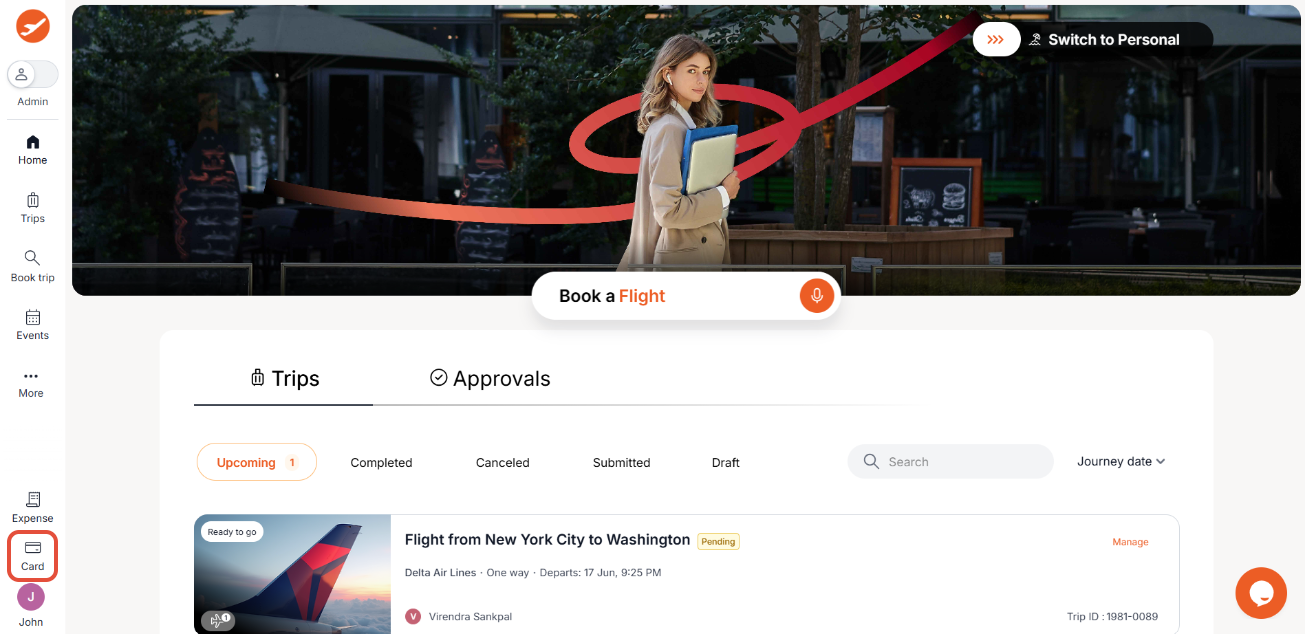
Step 2: Once you are in the "Card" platform, click on “My Cards” on top left.
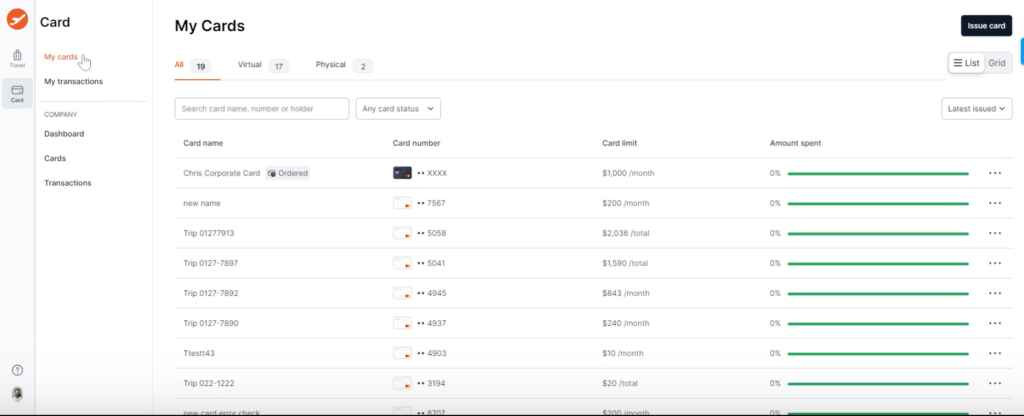
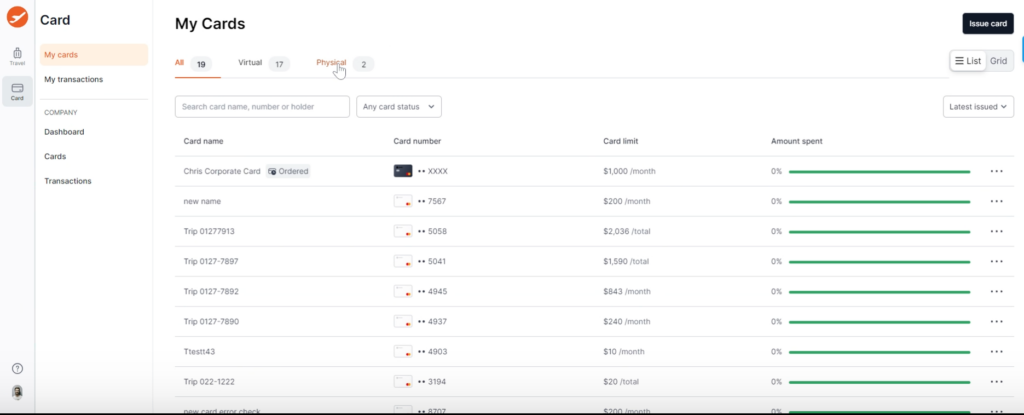
Step 3: Click on “Physical” tab to move to the list of physical cards issued to you.
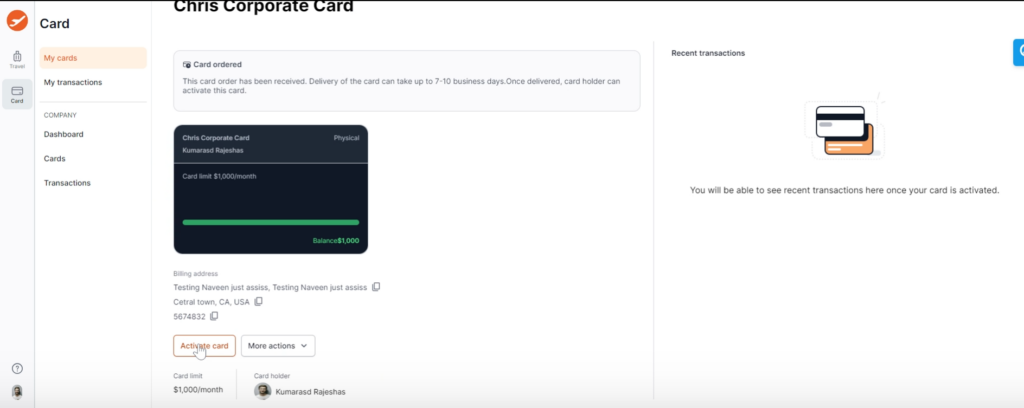
Step 4: Click on the card that is in “Ordered” state.
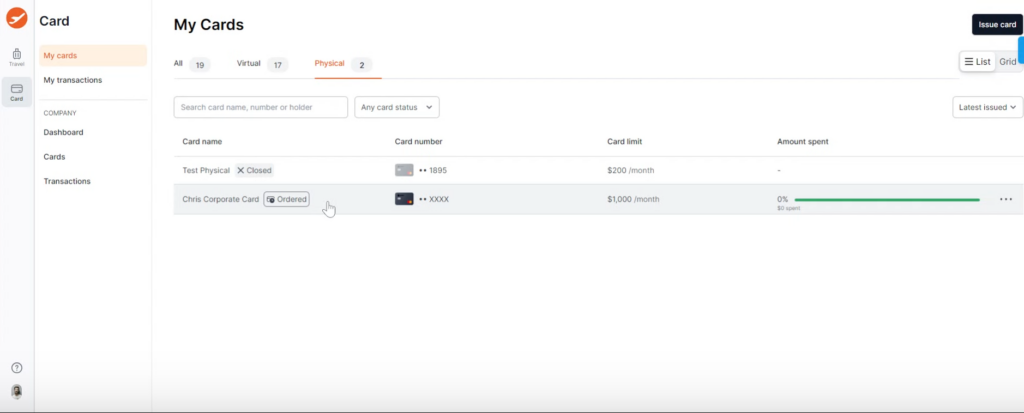
Step 5: Click on “Activate Card”.
Step 6: Enter the last 4 digits of the physical card you have received and want to activate.
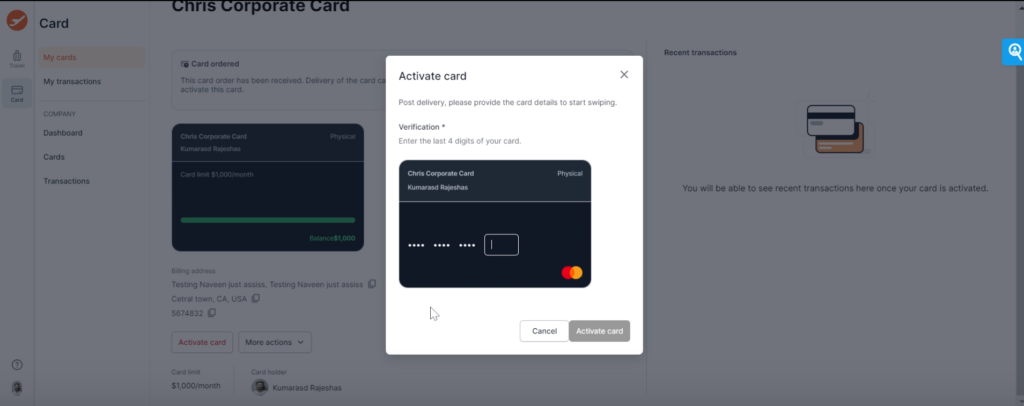
Once activated, your card is ready to be used!
You can also watch a video on how to activate your card on ITILITE – Video
Pro-Tips & Guardrails
Verification & FAQs
Upon successful activation, you'll see a confirmation message and the card's status in your My Cards list will change from Ordered to Active. This confirms your card is fully operational and ready for your business expenses.
Q: What does "Ordered" state mean for my card?
A: An "Ordered" state indicates that your physical card has been successfully issued and is on its way to you, but it has not yet been activated. You'll need to activate it once you receive it.
Q: Can someone else activate my physical card for me?
A: No, the activation of a freshly issued physical card is a cardholder-side action. For security, you must log into your own ITILITE account and enter the last 4 digits of the card you physically possess.
Q: What happens immediately after I activate my card?
A: Once activated, your card's status will instantly change to "Active" within the ITILITE platform. You will also see a success notification, and your card will be ready for immediate use for approved transactions.
Was this article helpful?
That’s Great!
Thank you for your feedback
Sorry! We couldn't be helpful
Thank you for your feedback
Feedback sent
We appreciate your effort and will try to fix the article