
Travel plans can sometimes change unexpectedly, and when a flight is cancelled, airlines often issue travel credits instead of a direct refund. ITILITE makes it incredibly easy to track and utilize these credits, ensuring you never miss an opportunity to save on future bookings.
Table of Contents
- What are Travel Credits?
- How ITILITE Helps You Use Travel Credits
- Important Considerations for Using Travel Credits
- Pro-Tips & Guardrails
- Verification & FAQs
What are Travel Credits?
Travel Credits, sometimes referred to as Unused Tickets or Airline Credits, are essentially value vouchers provided by airlines when a flight booking is cancelled. Instead of receiving a monetary refund, the airline issues a credit that can be applied towards the cost of a future flight booking with the same carrier. These credits represent a valuable asset for both you and your company.
ITILITE seamlessly tracks these credits within the platform, helping you ensure they are utilized efficiently before they expire. This proactive management helps your company save costs and makes it easier for you to book your next business trip without losing out on previously paid fares.
How ITILITE Helps You Use Travel Credits
ITILITE simplifies the process of managing and applying your Travel Credits, integrating them directly into your booking workflow. When you search for new flights, the platform automatically identifies any eligible credits you may have.
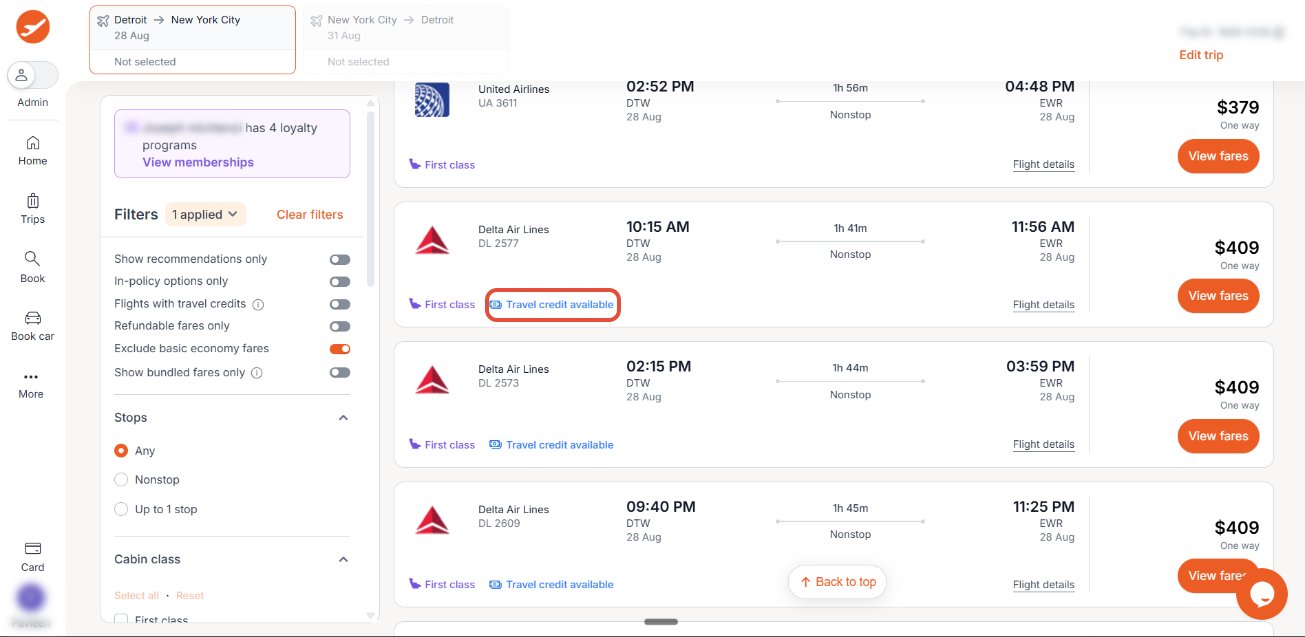
If your selected itinerary is eligible, an Apply Travel Credits button will appear, allowing you to easily use your credits towards the new booking. This ensures a smooth and cost-effective booking experience.
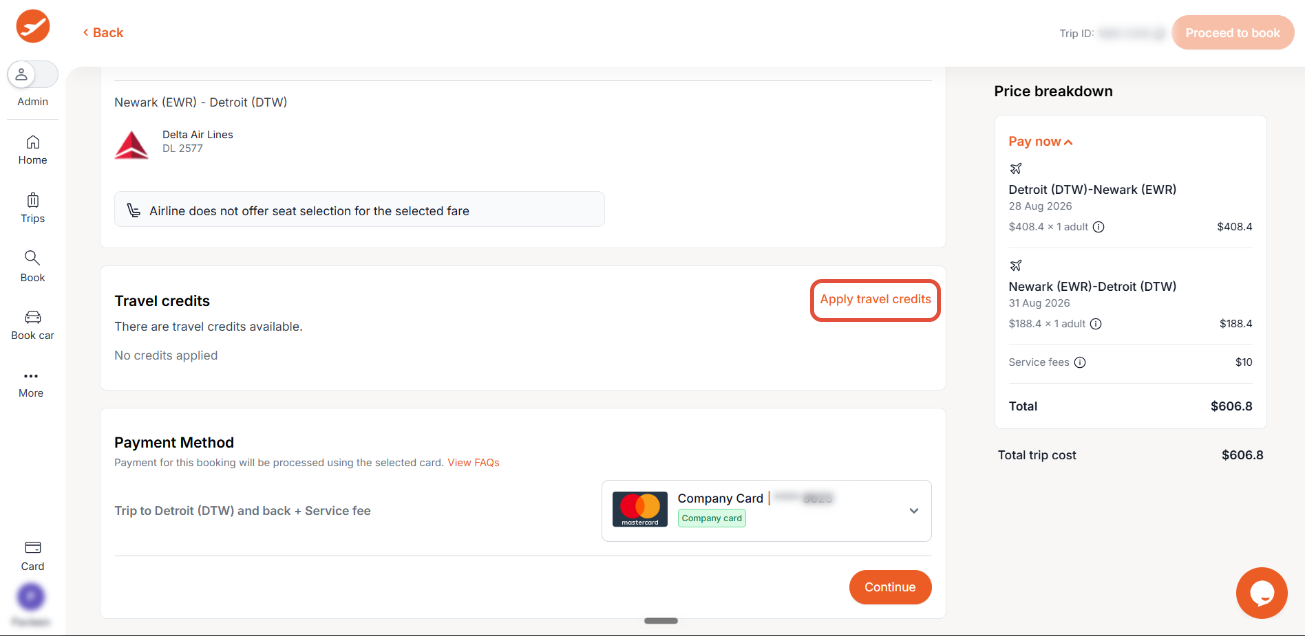
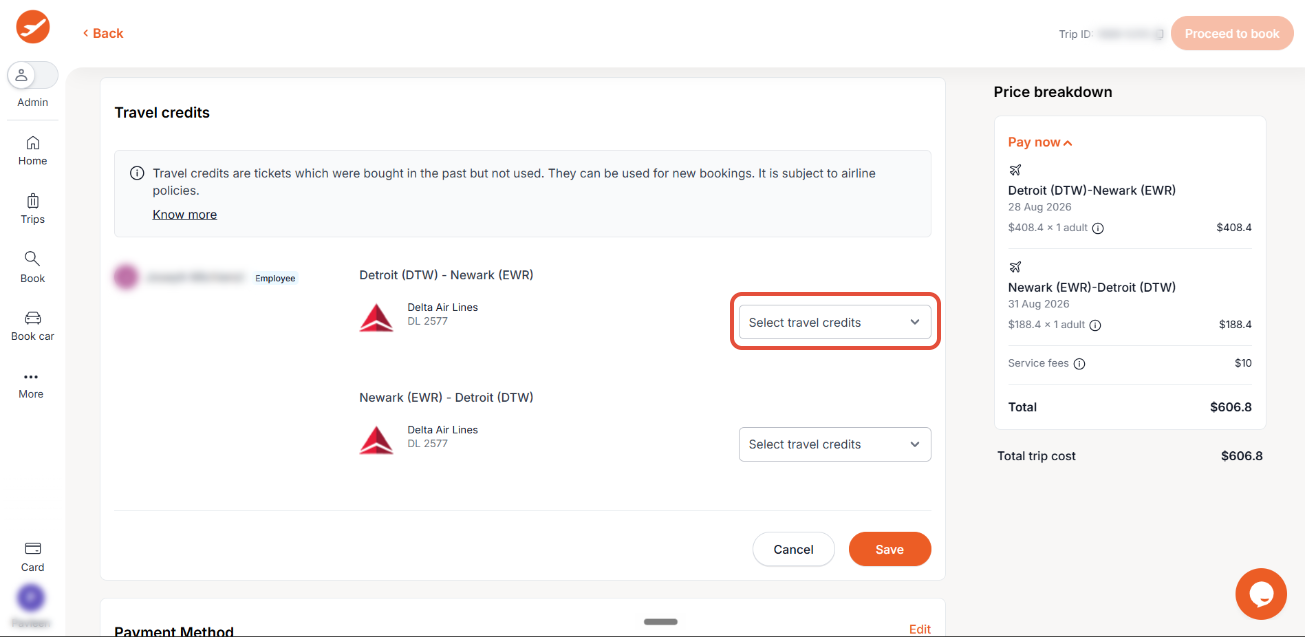
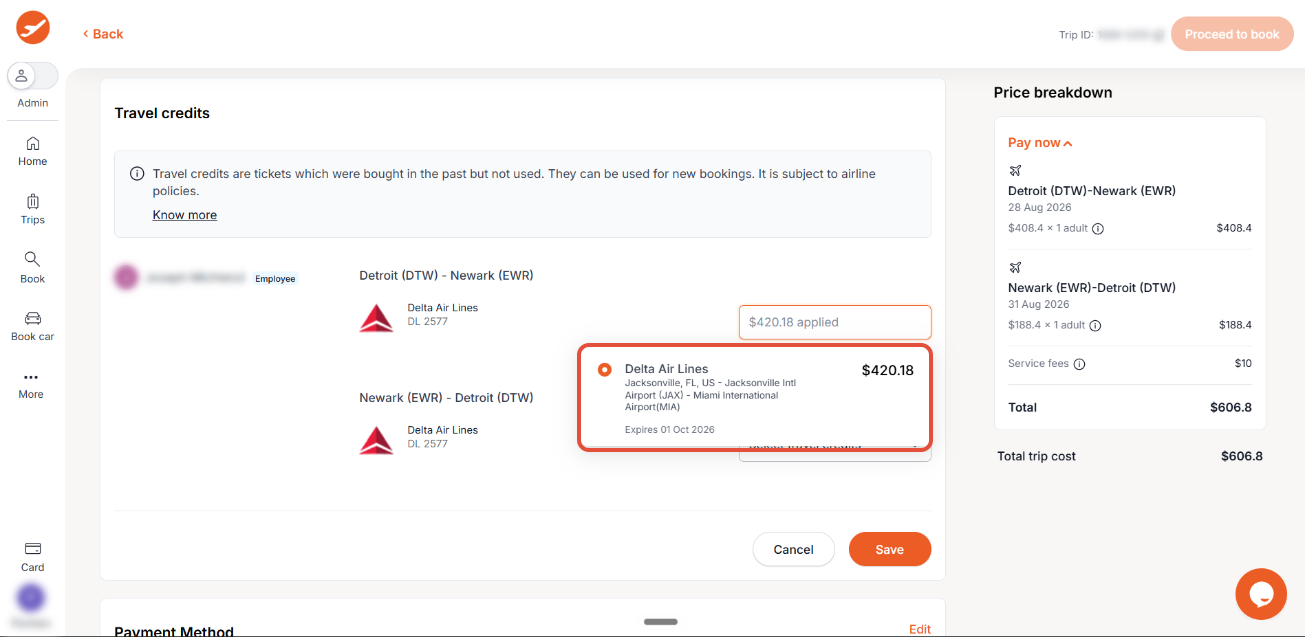
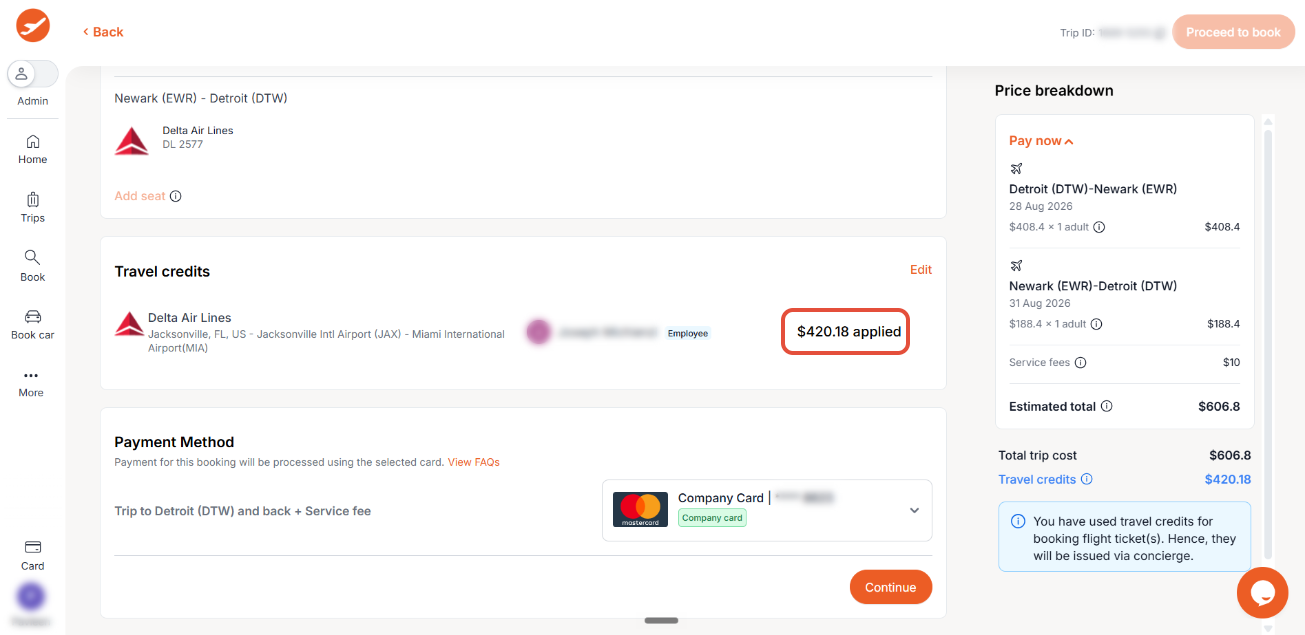
During the booking and checkout process, you'll see your available Travel Credits balance clearly displayed.
Important Considerations for Using Travel Credits
To make the most of your Travel Credits, it's helpful to understand a few key policies and guidelines:
- Traveler and Company Specific: Credits are generally tied to the specific traveler and the airline associated with the original booking.
- Reassignment for Departing Employees: If an employee leaves the company, their unused credits may be reassigned and utilized by other eligible members within the same organization, ensuring no value is lost.
- Airline-Specific Usage: Travel Credits are airline-specific, meaning they can only be applied to future bookings made with the same carrier that issued the original credit.
- Business Travel Only: Credits cannot be used for guest bookings or personal trips; they are intended for official company travel.
- Expiry Date Validity: For a credit to be valid, its expiry date must be later than the issuance date of your new booking. ITILITE helps you keep track of these dates.
- Multiple Travelers: If your trip involves multiple travelers, all applicable credits for each individual will be clearly displayed during the selection process, allowing for efficient application.
- Multiple Airlines in Itinerary: If a trip involves multiple airlines, only the credits relevant to the specific airline in the new itinerary can be applied.
Pro-Tips & Guardrails
Verification & FAQs
Once you successfully apply Travel Credits to a booking, you'll see a confirmation of the amount of credits applied and the applied credits will be reflected in the final cost.
A: If you leave the company, your unused Travel Credits may be reassigned to other eligible employees within the same organization. This ensures that the value of the credits is retained and can be utilized for future company travel.
Q: Can I use my Travel Credits on any airline?
A: No, Travel Credits are airline-specific. You can only apply credits to future bookings made with the same airline that originally issued the credit. ITILITE will automatically show you which credits are applicable during the booking process.
Q: Can I use my Travel Credits to book a trip for a friend or family member?
A: Travel Credits are generally tied to the specific traveler and company associated with the original booking. They cannot be used for guest bookings or personal trips, as they are intended for official company travel.
Q: What if my new trip involves flights with multiple different airlines?
A: If your itinerary includes flights with multiple airlines, only the Travel Credits relevant to the specific airline for that particular segment of your new booking can be applied. ITILITE will guide you on which credits are eligible during the checkout process.
Was this article helpful?
That’s Great!
Thank you for your feedback
Sorry! We couldn't be helpful
Thank you for your feedback
Feedback sent
We appreciate your effort and will try to fix the article