
Planning a business trip with multiple needs? ITILITE empowers you to effortlessly book your flight, hotel, and rental car together, streamlining your entire travel arrangement into one seamless process.
Table of Contents
Step-by-Step Guide
Follow these steps to book your flight, hotel, and rental car together:
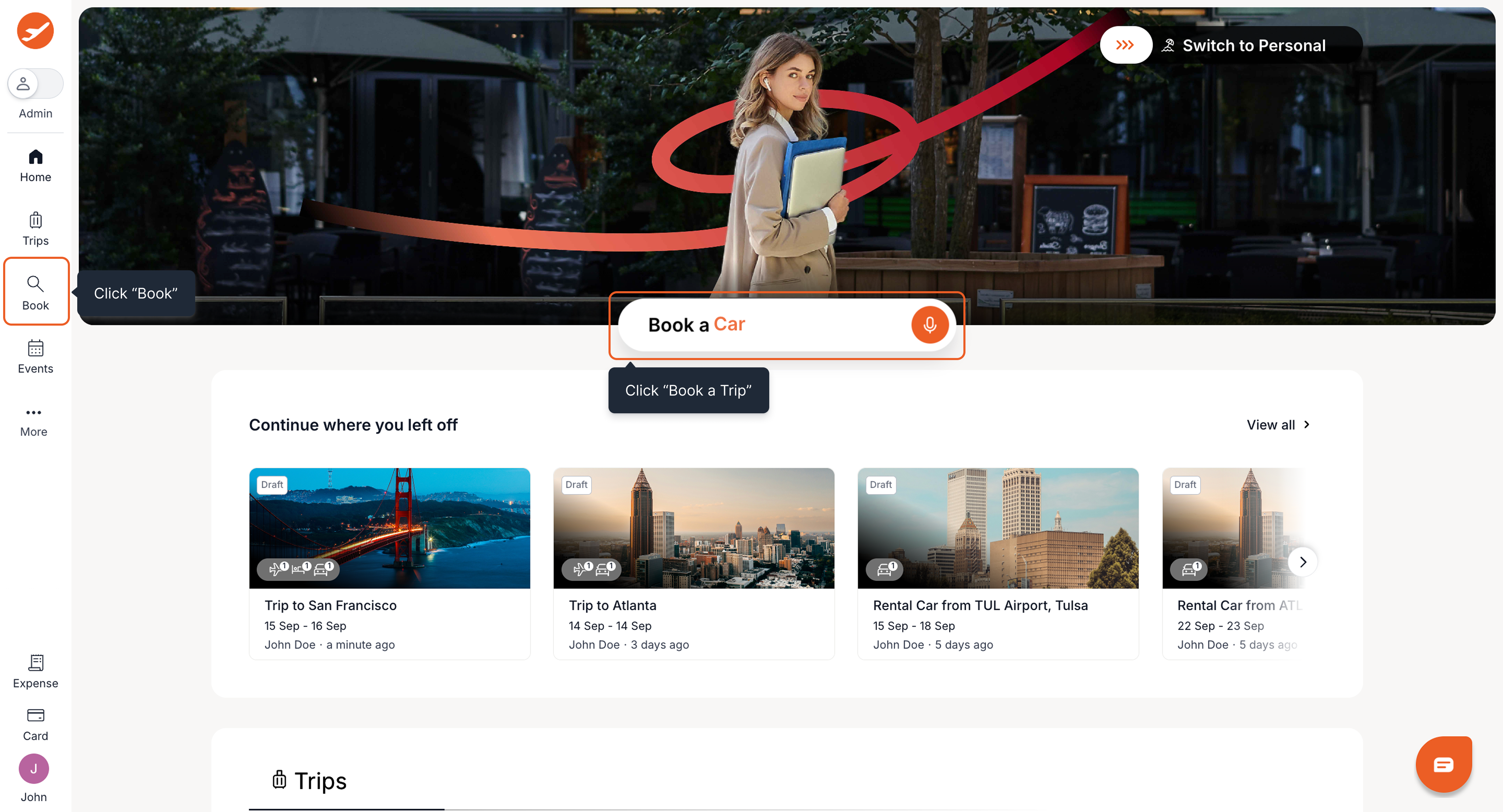
- From the ITILITE home page, click Book a Trip, or select Book from the navigation bar.
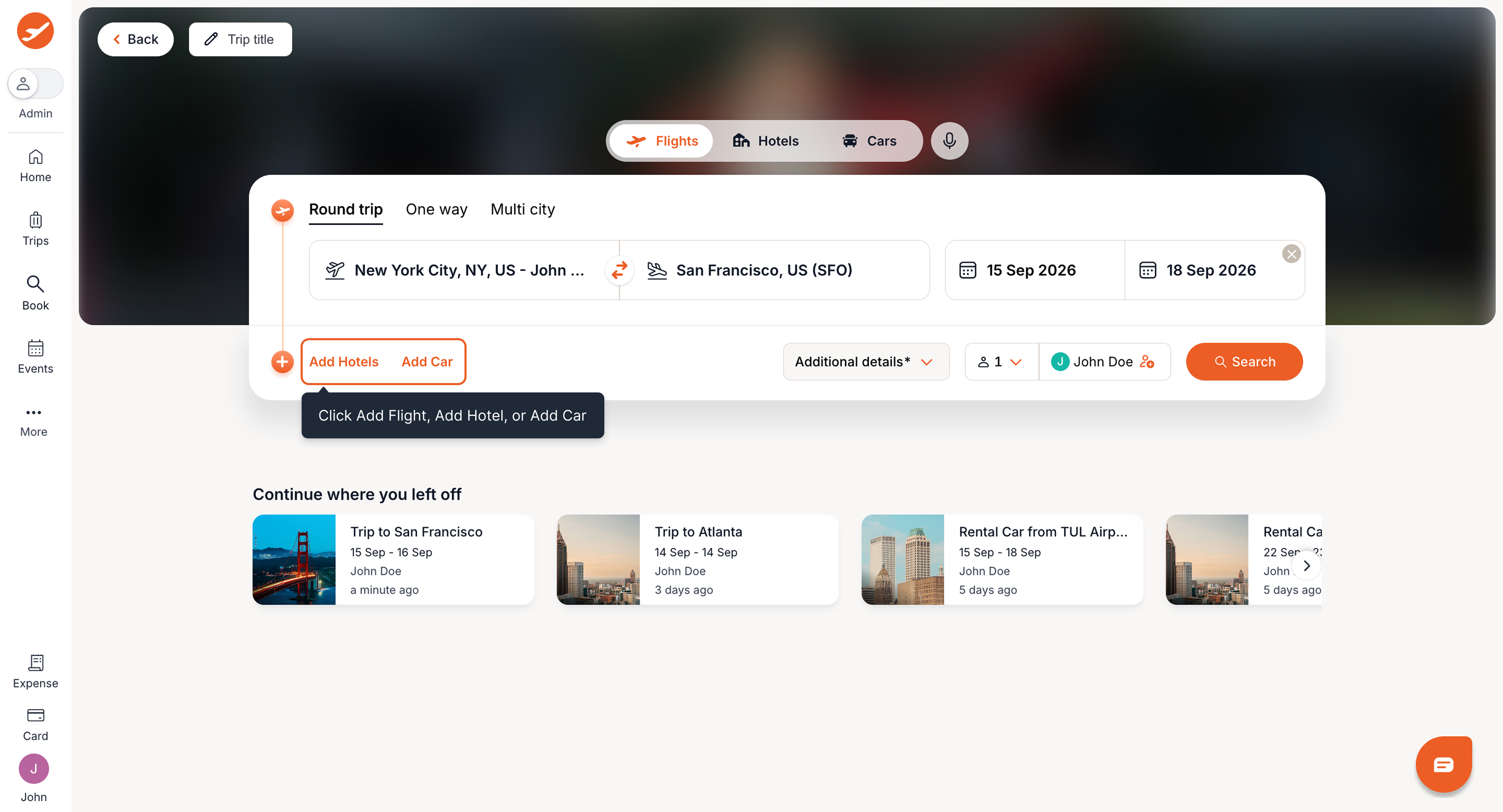
- To book multiple travel modes, select your primary travel mode (e.g., Flight) from the tabs at the top. Then click Add Flight, Add Hotel, or Add Car to add the other modes you need for your trip. You can combine Flight + Hotel + Car, Flight + Car, Hotel + Car, or Flight + Hotel.
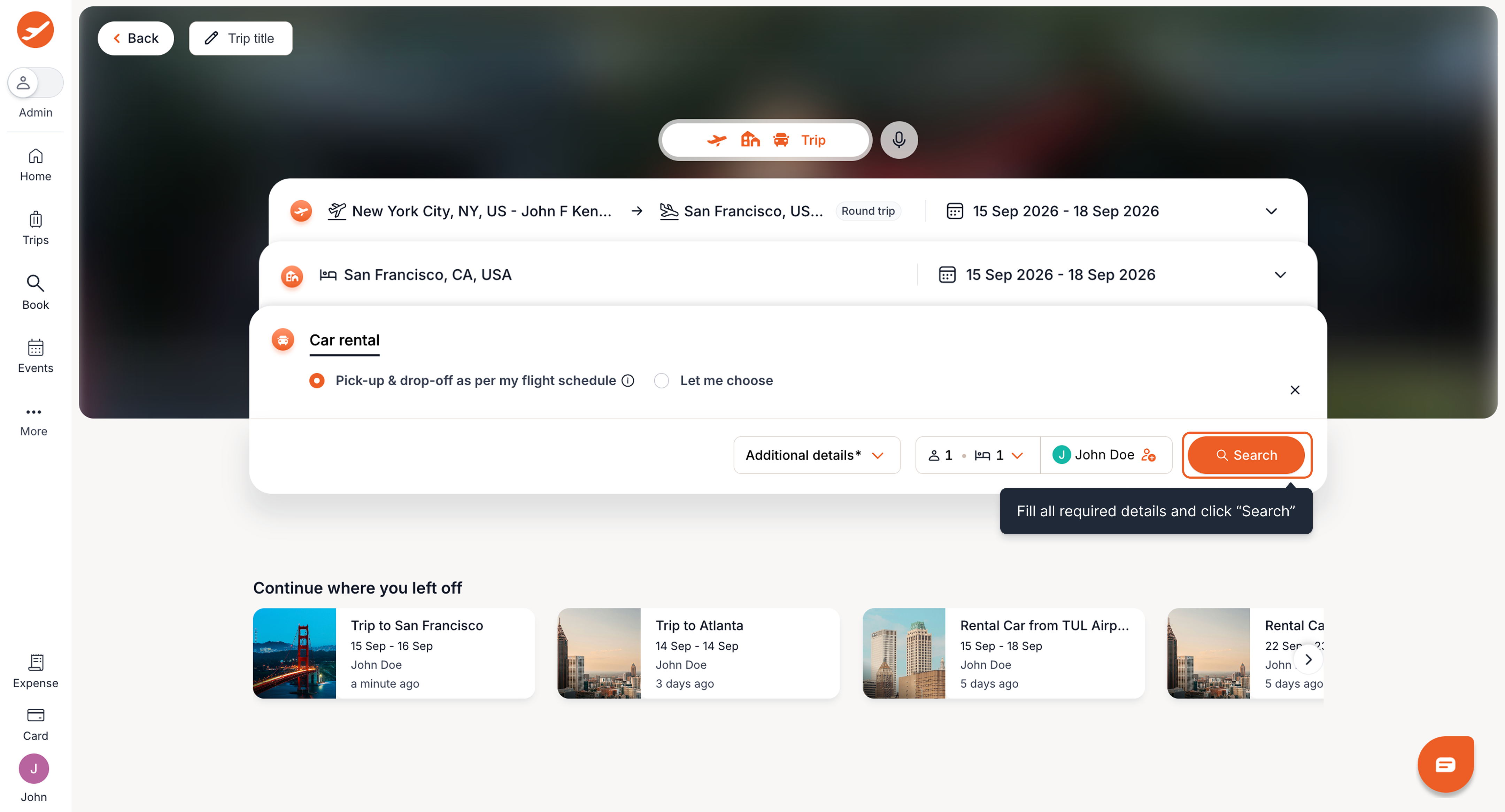
- Enter the required details for each selected travel mode, such as destinations, dates, and traveler details. When a Rental Car is added to a trip with a Flight, pickup and drop-off times are automatically suggested based on your flight schedule. You can adjust these times if needed. Once you've entered all the required details, click Search to find options for your selected modes.
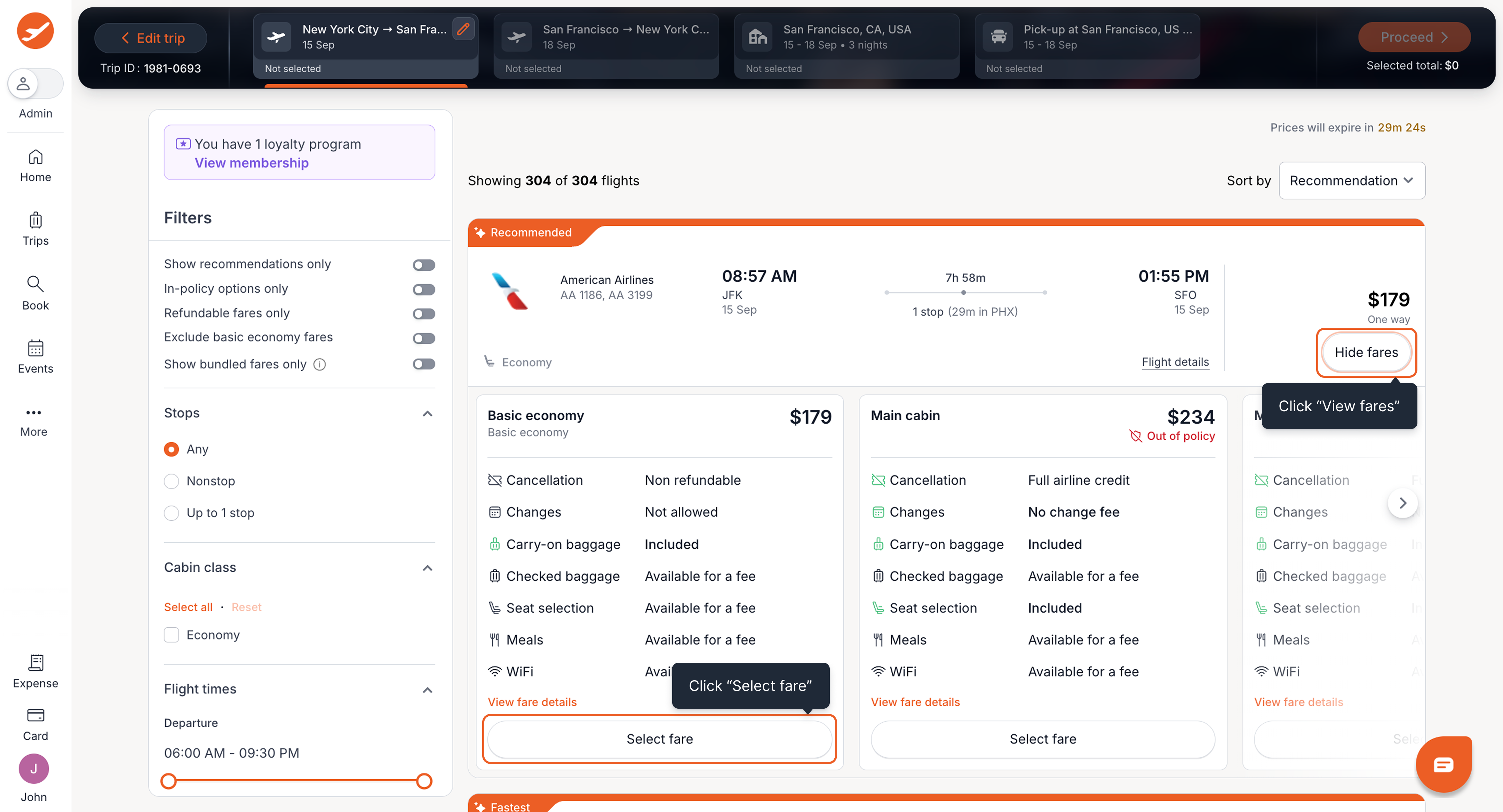
- Browse the available Flight options and select your preferred flight. Then choose the fare that best suits your needs.
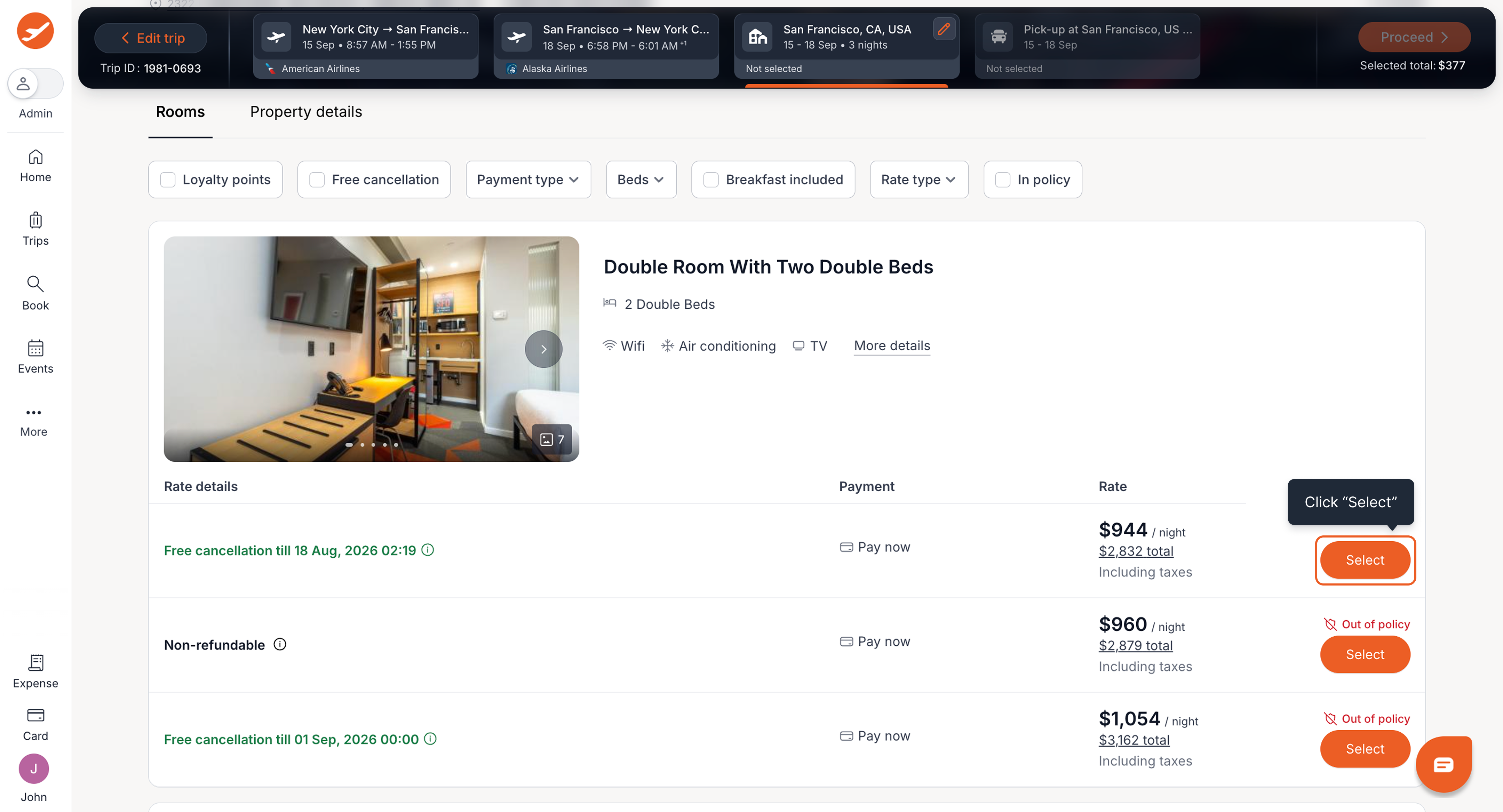
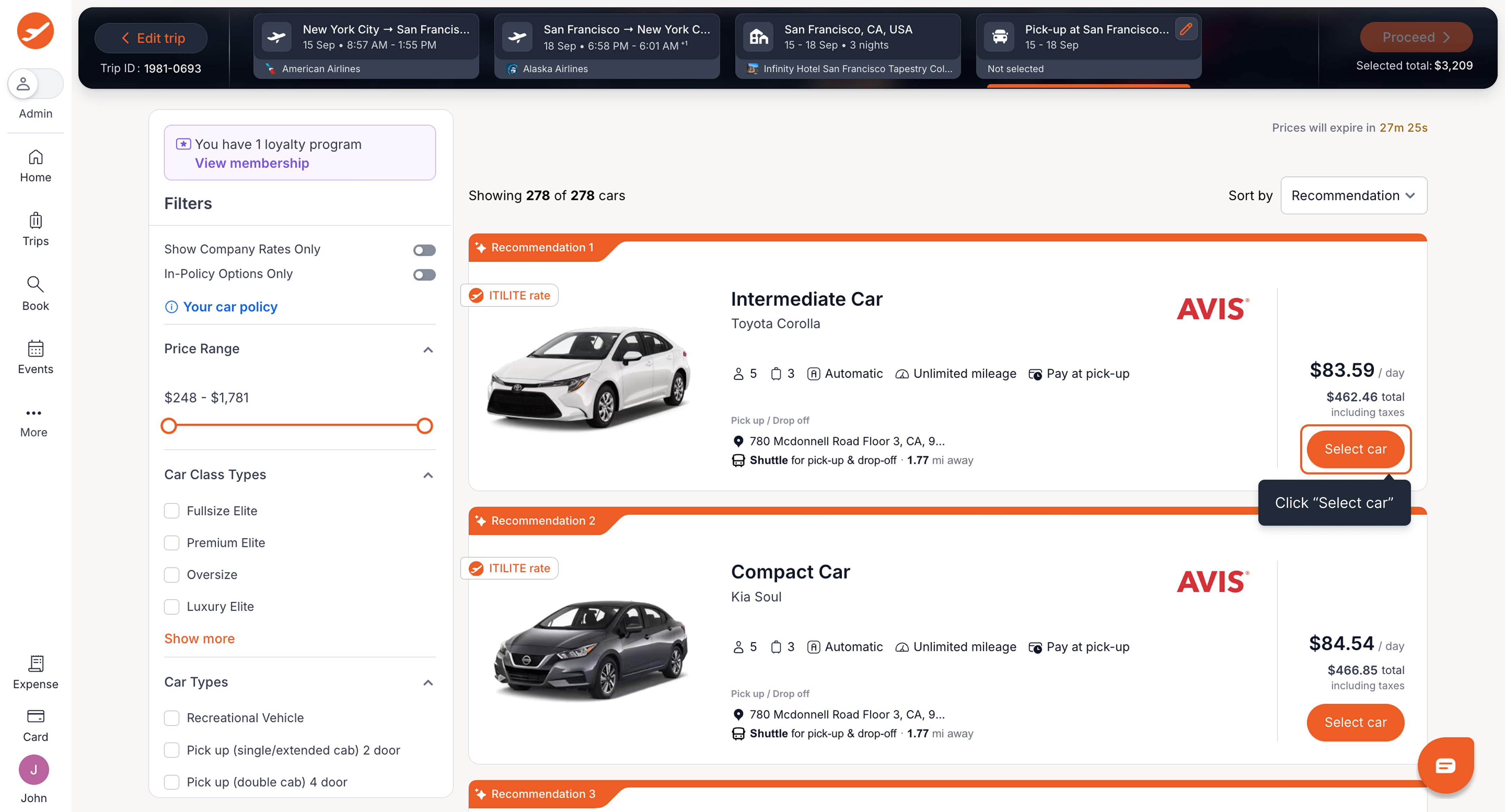
- Choose your preferred Hotel room from the available options. Then select your preferred Rental Car.
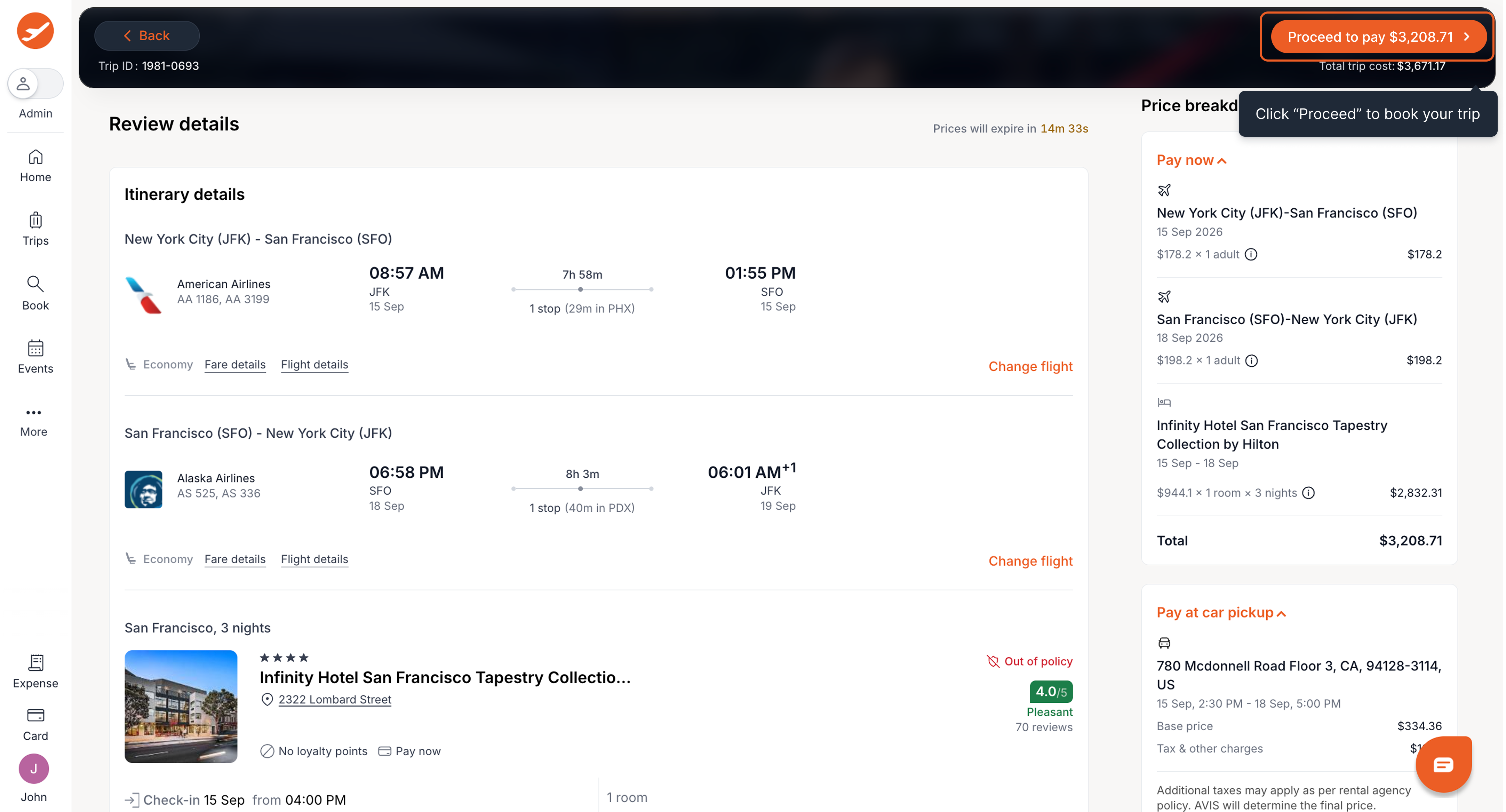
- Review your selected Flight, Hotel, and Rental Car details, including dates, times, locations, and pricing. You can also review any applicable policy information or budget impact before continuing.
- Choose your preferred payment method from the available options and review your booking details.
- Once you've reviewed all your selections, click Proceed to Pay to complete your booking. Your selected travel modes will be booked as part of the same trip.
Pro-Tips & Guardrails
PRO-TIP: When you add a Rental Car to a trip with a Flight, ITILITE automatically suggests car pickup and drop-off times based on your flight schedule. Pickup is typically 15 minutes after your onward flight lands, and drop-off is 2 hours before your return flight departs. You can easily review and adjust these details on the Car results page before booking.
NOTE: Travelers selected for the flight or hotel are automatically applied as the car occupants to maintain itinerary consistency. Remember to designate a primary driver for every car booking, adhering to age eligibility requirements.
Related FAQs
Q: What can I book together?
- Flight + Hotel + Car
- Flight + Car
- Hotel + Car
- Flight + Hotel
- Flight only / Hotel only / Car only
Q: Can I book my Flight, Hotel, and Car together?
Yes. You can search and book your Flight, Hotel, and Rental Car as part of the same trip, without having to book each travel type separately.
Q: How can I do a combined search?
Yes. You can search and book your Flight, Hotel, and Rental Car as part of the same trip, without having to book each travel type separately.
Q: How can I do a combined search?
- Select a travel mode from the tabs at the top of the search page.
- At the bottom of the page, click Add other modes — such as Add Flight, Add Hotel, or Add Car.
- Enter the required details and continue to search.
- Q: How does Car booking work with my Flight?
When you add a Rental Car to a trip with a Flight, your flight details automatically determine the suggested Car pickup and drop-off times.
• Pickup: Scheduled after your onward flight arrives.
• Drop-off: Scheduled before your return flight departs.
You can review and edit the pickup and drop-off details on the Car results page before booking.
Q: Can I change my Car search after viewing the results?
Yes. You can edit your Car search details directly from the results page.
You can update available pickup and drop-off details without going back to the initial search.
Q: Can I still add a Car to an already booked trip?
Yes. You can link your Rental Car search to an existing trip.
Q: Do I need to book a Flight or Hotel to book a Car?
No. You can book a Rental Car on its own if you don't need a Flight or Hotel.
Q: What are the benefits of booking my travel together?
Booking your travel together makes trip planning simpler and reduces the number of steps needed to plan and book your trip. - Keep your travel arrangements together in the same trip.
- Receive combined communications for your Flight, Hotel, and Rental Car bookings.
- Reduce the number of steps by planning and booking your travel from the same trip.
- Use your Flight details to set up your Car booking with suggested pickup and drop-off times.
- Edit your search directly from the results page without going back to the search page.
Was this article helpful?
That’s Great!
Thank you for your feedback
Sorry! We couldn't be helpful
Thank you for your feedback
Feedback sent
We appreciate your effort and will try to fix the article